InGate
Quick, Secure, and Hassle-Free Check-Ins
Case study
Duration 8 weeks

About the project
InGate
Streamline your Visitor Management System with ease and security.
My role
As a UI/UX Designer for VMS, I design intuitive and efficient interfaces to streamline visitor management and enhance user experience #Research, #Design, #Prototyping, #Usability.
Project Description
InGate is a smart, secure Visitor Management System app that simplifies entry processes with a user-friendly design. Featuring real-time tracking and efficient data management, it ensures seamless coordination between visitors and hosts. Enhance your VMS experience with InGate for effortless front desk management.
The Problem
The offline Visitor Management System faces challenges with no digital records, leading to manual tracking and inefficiency. Visitors and hosts experience delays due to the absence of streamlined processes. Admins struggle with managing visitor data effectively without automated systems and real-time updates
Design Process
Empathy
Understand user needs and pain points through research.
Define
Identify the core problem by analysing user insights and competitor analysis.
Ideate
Brainstorm, card sorting creative solutions to address the identified problem.
Prototype
Create quick, low-fidelity wireframe, visual design and prototype.
Test
Check usability, collect feedback on prototypes and refine the design.
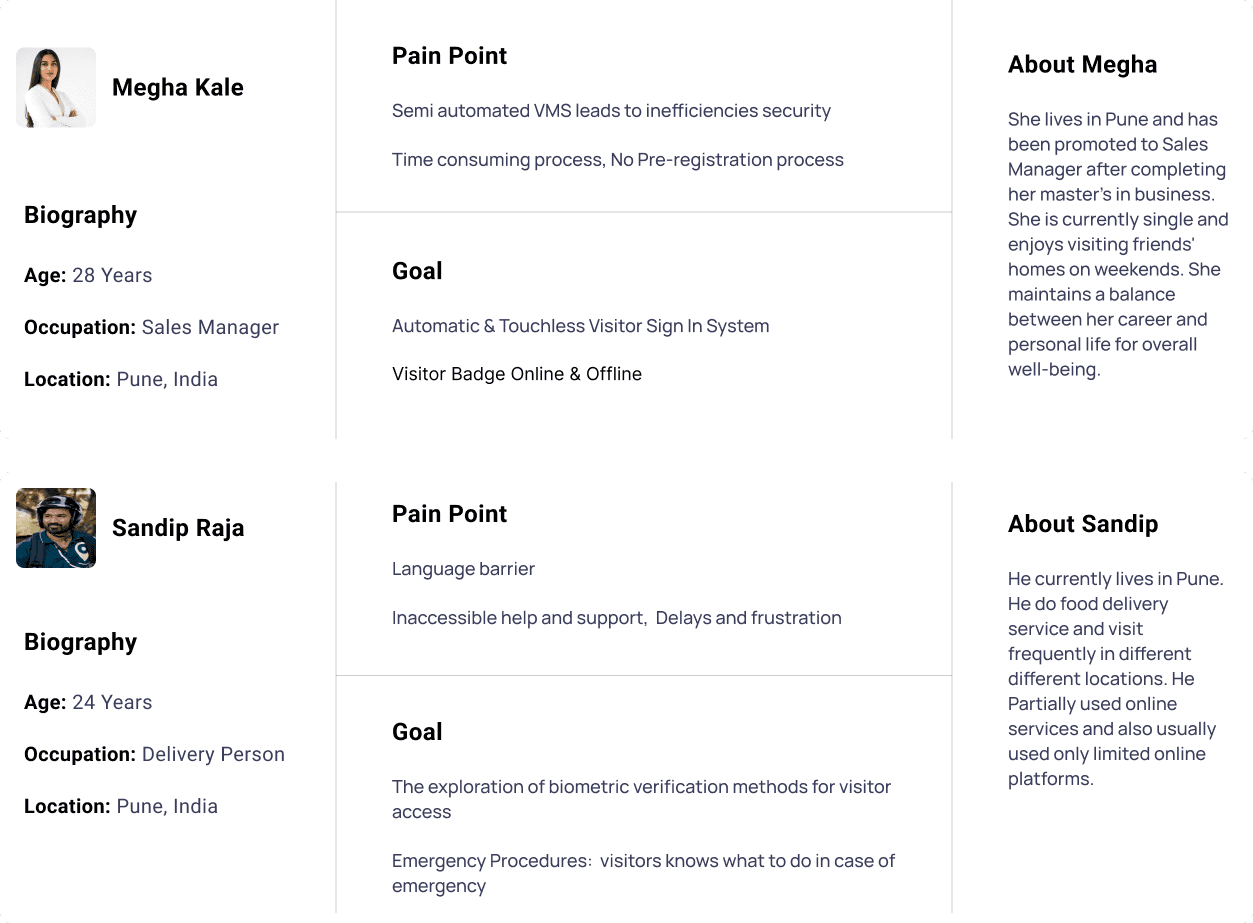
User Personas
Definition & Ideation
Problem Definition
Inefficient and Manual Processes: The system relies on manual entry, causing delays, errors, and added workload for staff, making check-ins slow.
Lack of Real-Time Access to Visitor Data: Without digital records, accessing up-to-date visitor information is difficult, affecting decision-making and communication.
Need for Streamlined, User-Friendly Solution: The system lacks a simple, intuitive interface, requiring a solution that simplifies check-ins and automates data management for better efficiency.
The Solution
Automated Check-In Process: Implement a digital check-in system that automatically logs visitor data, reducing manual entry errors and speeding up the process for both visitors and staff.
Centralised Database: Create a centralised digital database for real-time access to visitor information, allowing admins and hosts to quickly retrieve and manage data.
Intuitive Interface: Design a user-friendly interface for both visitors and admins that simplifies the check-in process, provides easy access to visitor details, and enhances overall system efficiency.
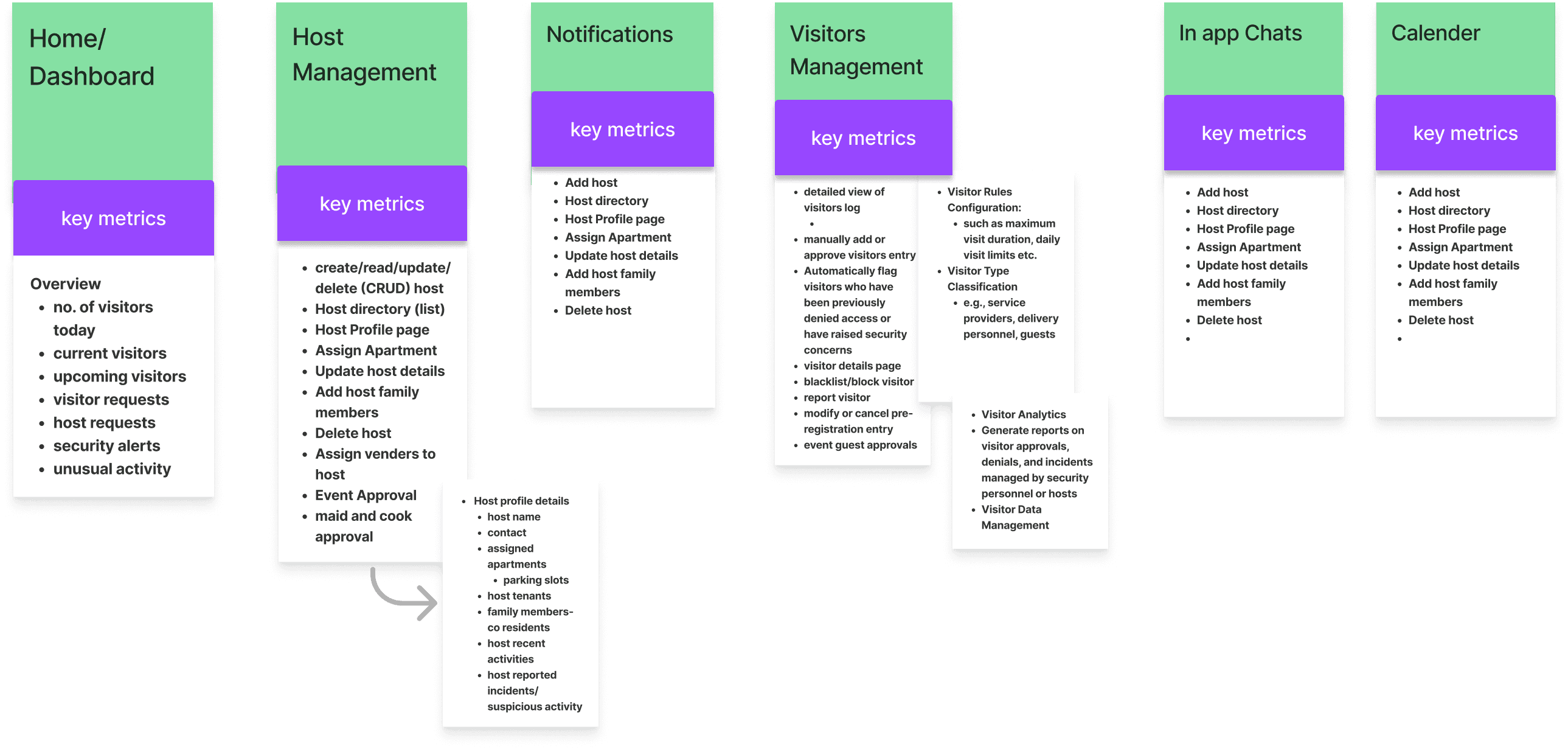
Card Sorting
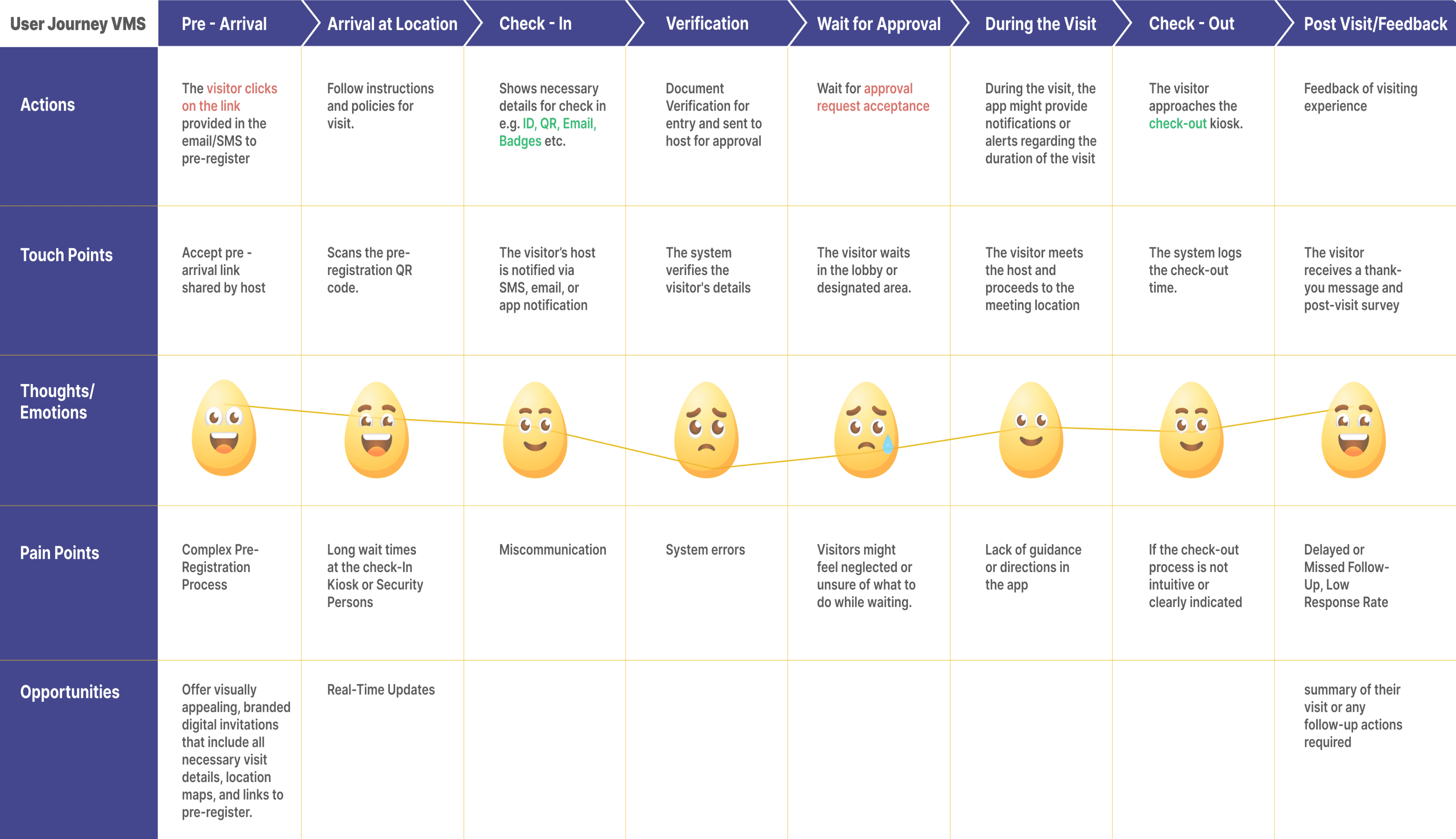
User Journey
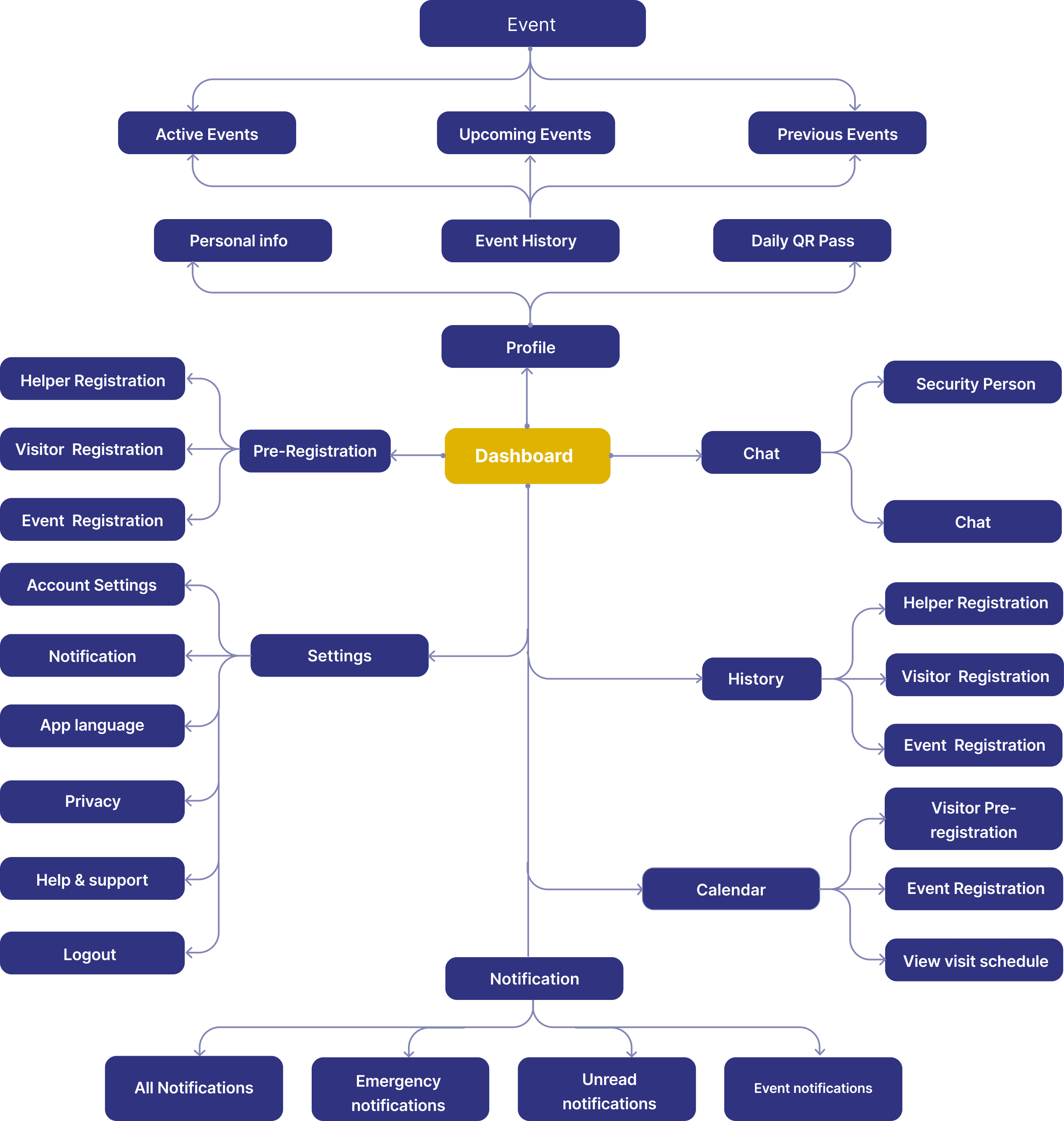
Infomation Architecture
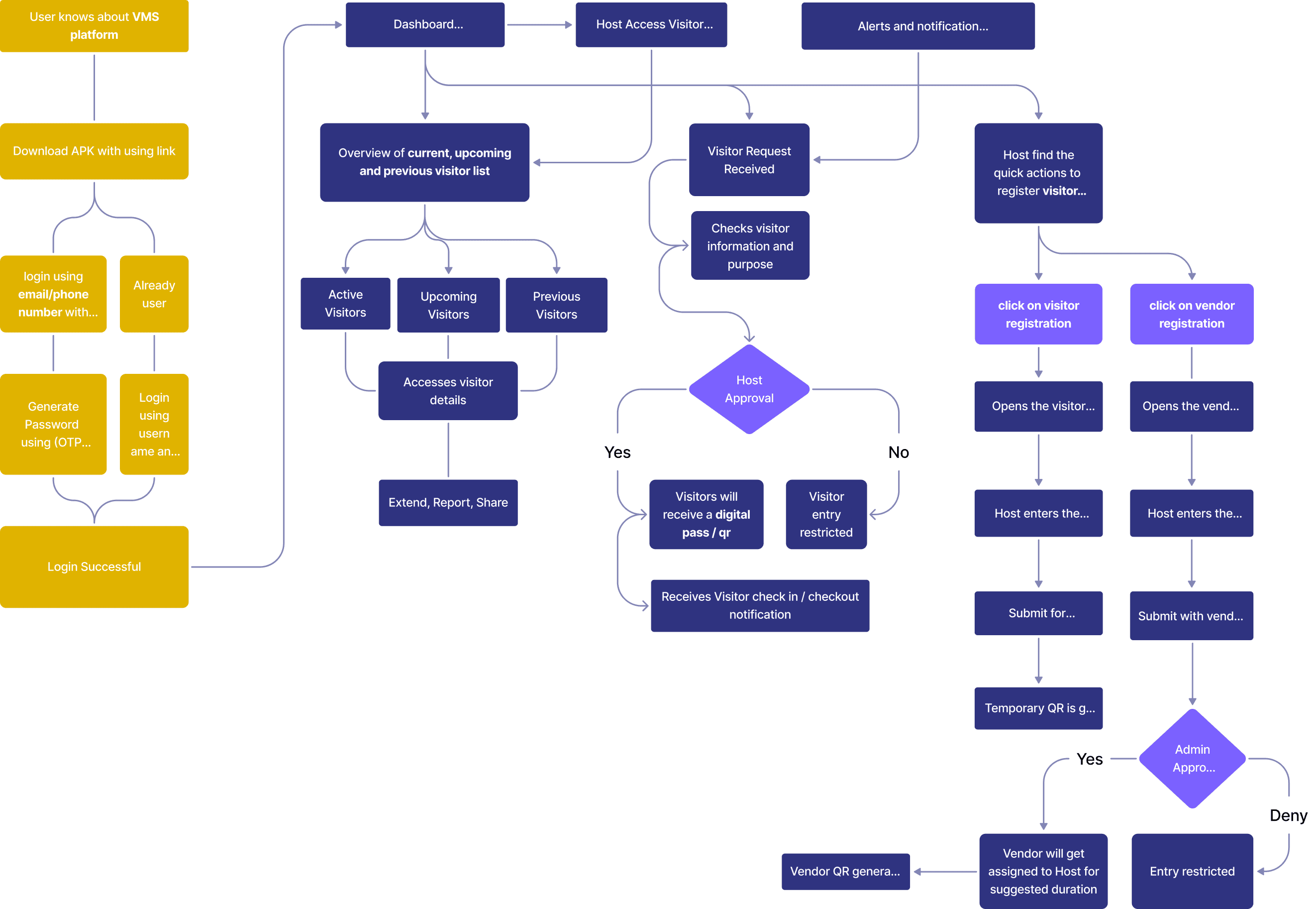
User Flow
Style guide
Color Palette
Primary Color: #2F3380 (Blue) For buttons, links, and calls to action; conveys trust and engagement.
Secondary Color: #E0B300 (Yellow) For highlights and secondary elements.
Tertiary Color: #2C2C2C (Gray) For subtle text and borders.
Background Color: #FFFFFF (White) Clean, neutral backdrop that enhances readability.
2F3380
E0B300
2C2C2C
FFFFFF
Style guide
Typefaces
Inter: Used for mobile screens to maintain a clean, professional, and highly readable design. Its versatility in body text and UI elements ensures a smooth user experience on smaller devices.
Poppins: Used for tablet and web screens, adding a modern, geometric flair to headings and titles. Its stylish and bold look makes larger text stand out, enhancing the overall design on bigger screens.
Aa
Inter
Aa
Poppins
Hi-fi Design
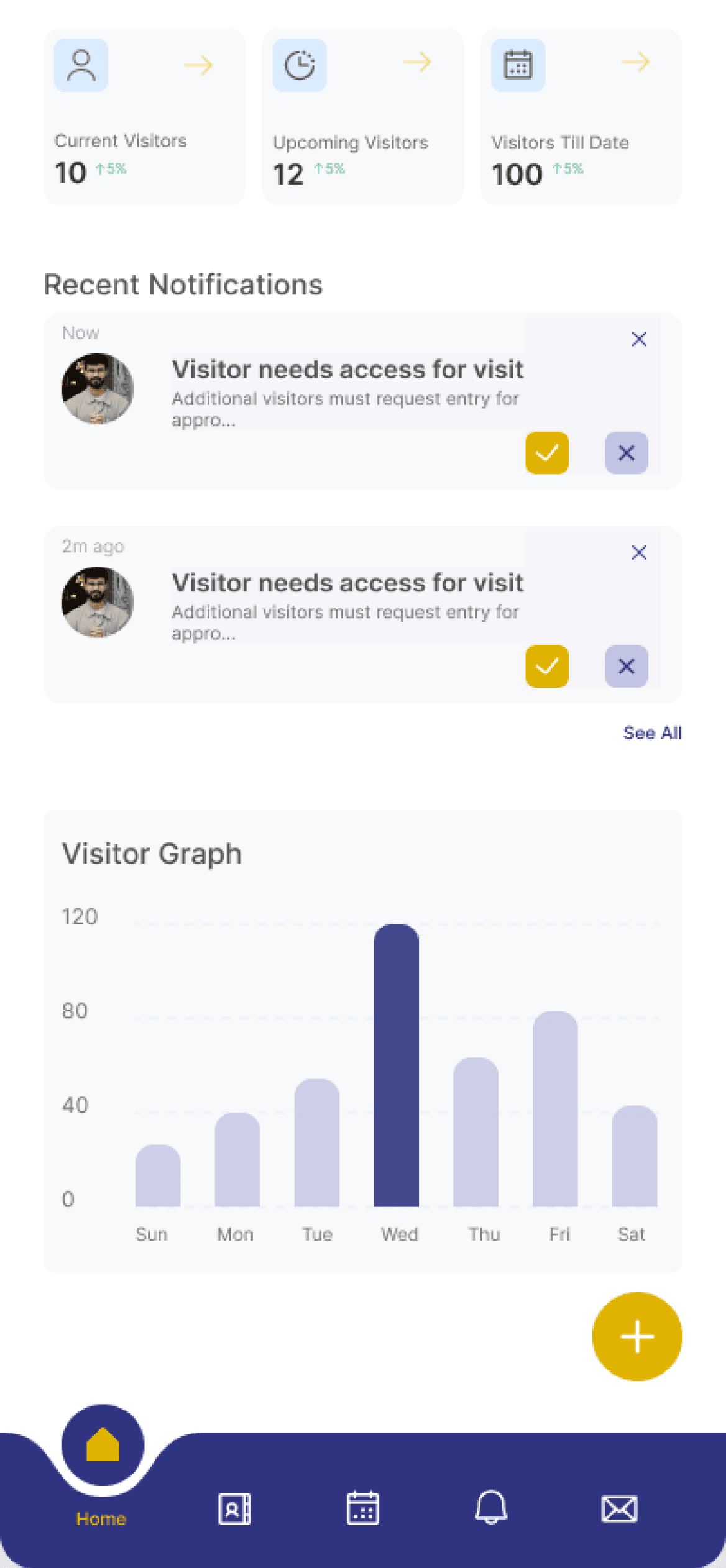
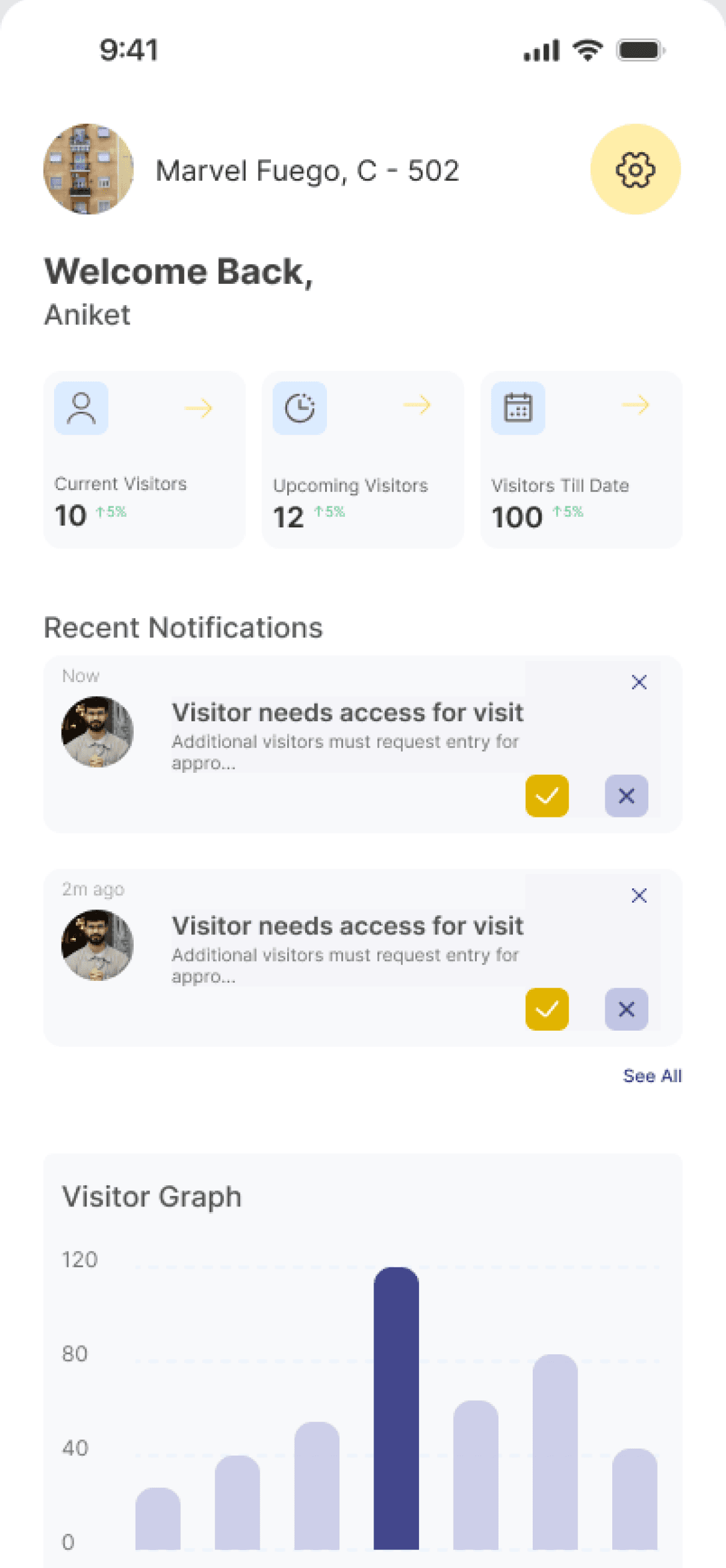
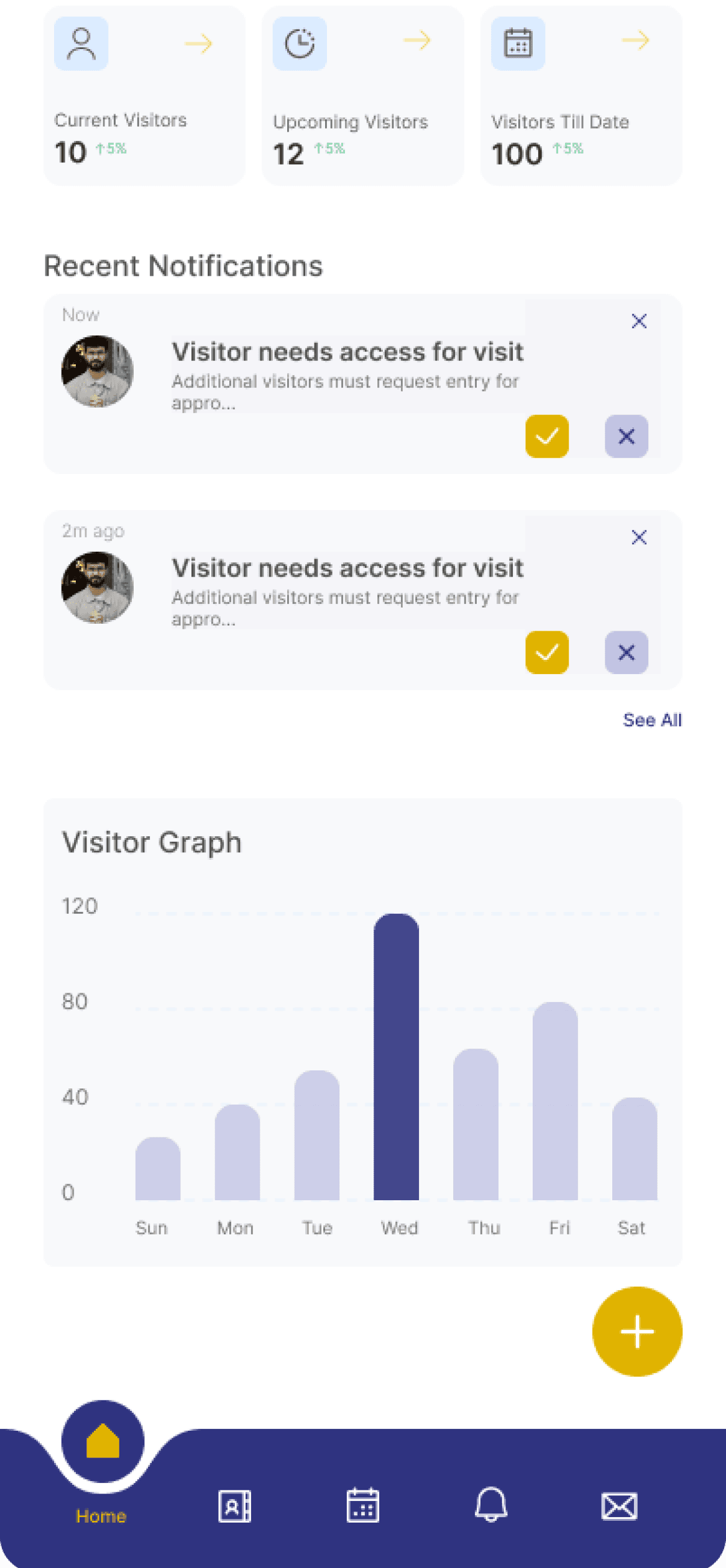
Home Screen
Current Visitors: A section showing visitors currently checked in, with names, check-in times, and meeting details.
Upcoming Visitors: A preview of scheduled visitors, including names, arrival times, and meeting agendas.
Visitor Statistics: A graphical representation of total visitors to date, broken down by day, week, or month for easy analysis.
Notifications: A section displaying recent notifications like visitor arrivals, pending approvals, or important updates.
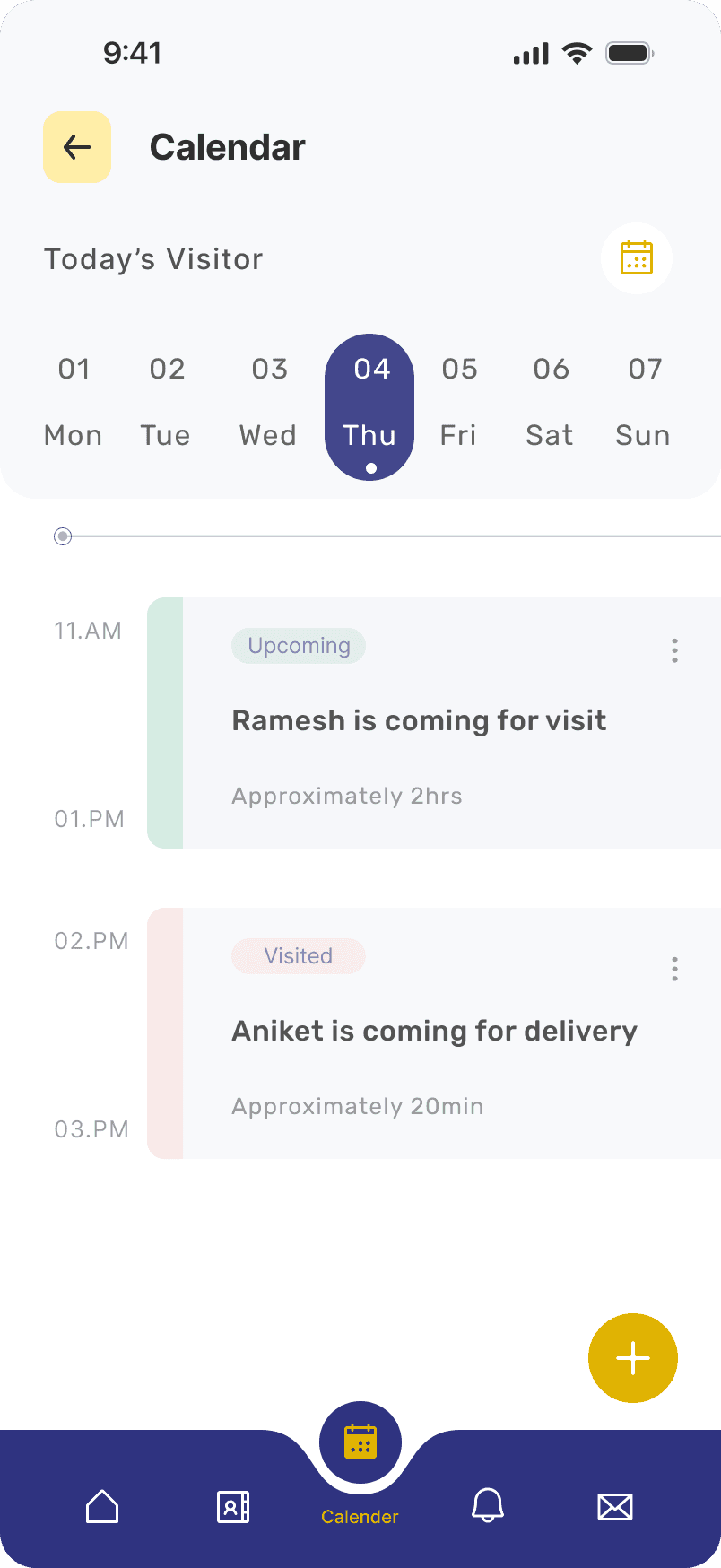
Calender Screen
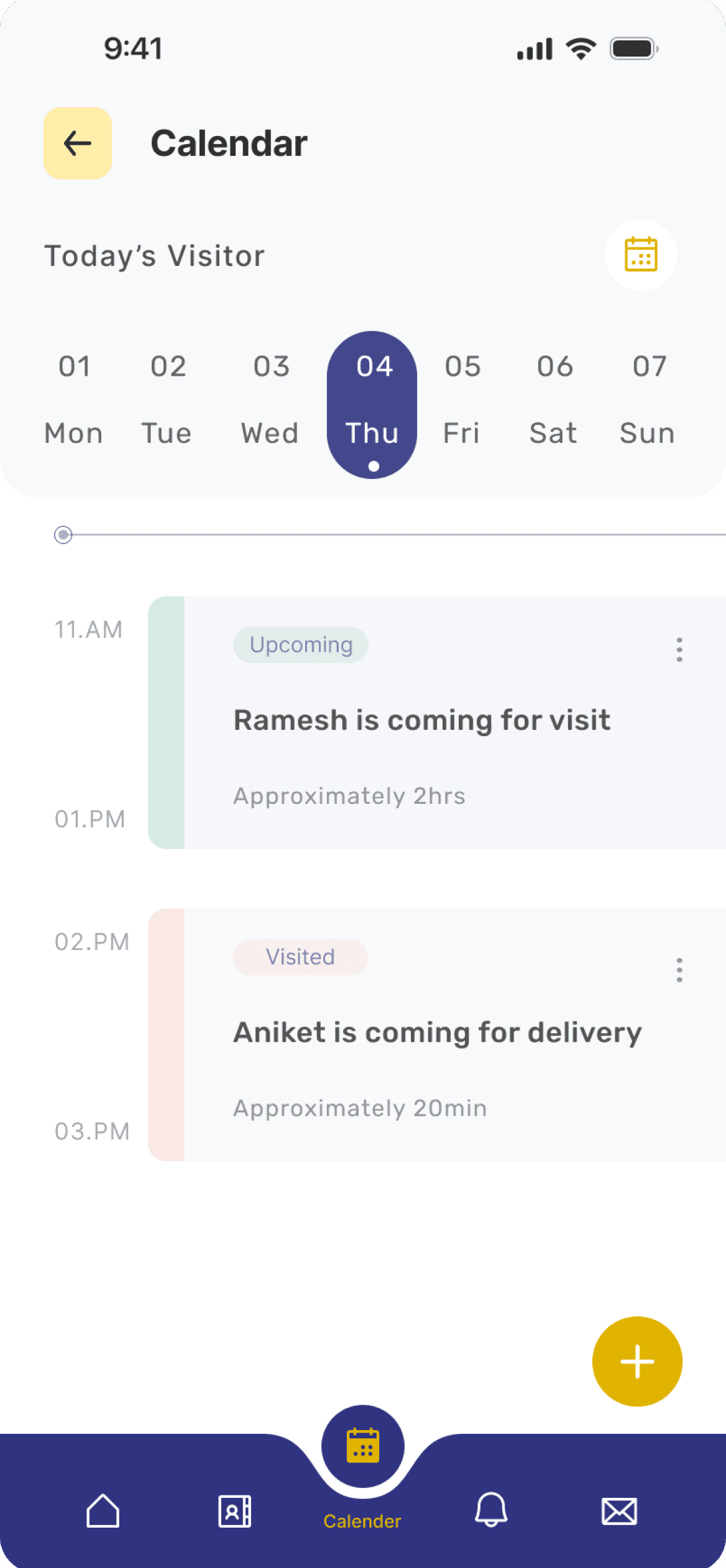
The Calendar Screen allows hosts to view today's scheduled visits with details such as visitor names, check-in times, and meeting duration. It provides an easy overview of the day’s appointments for efficient management.
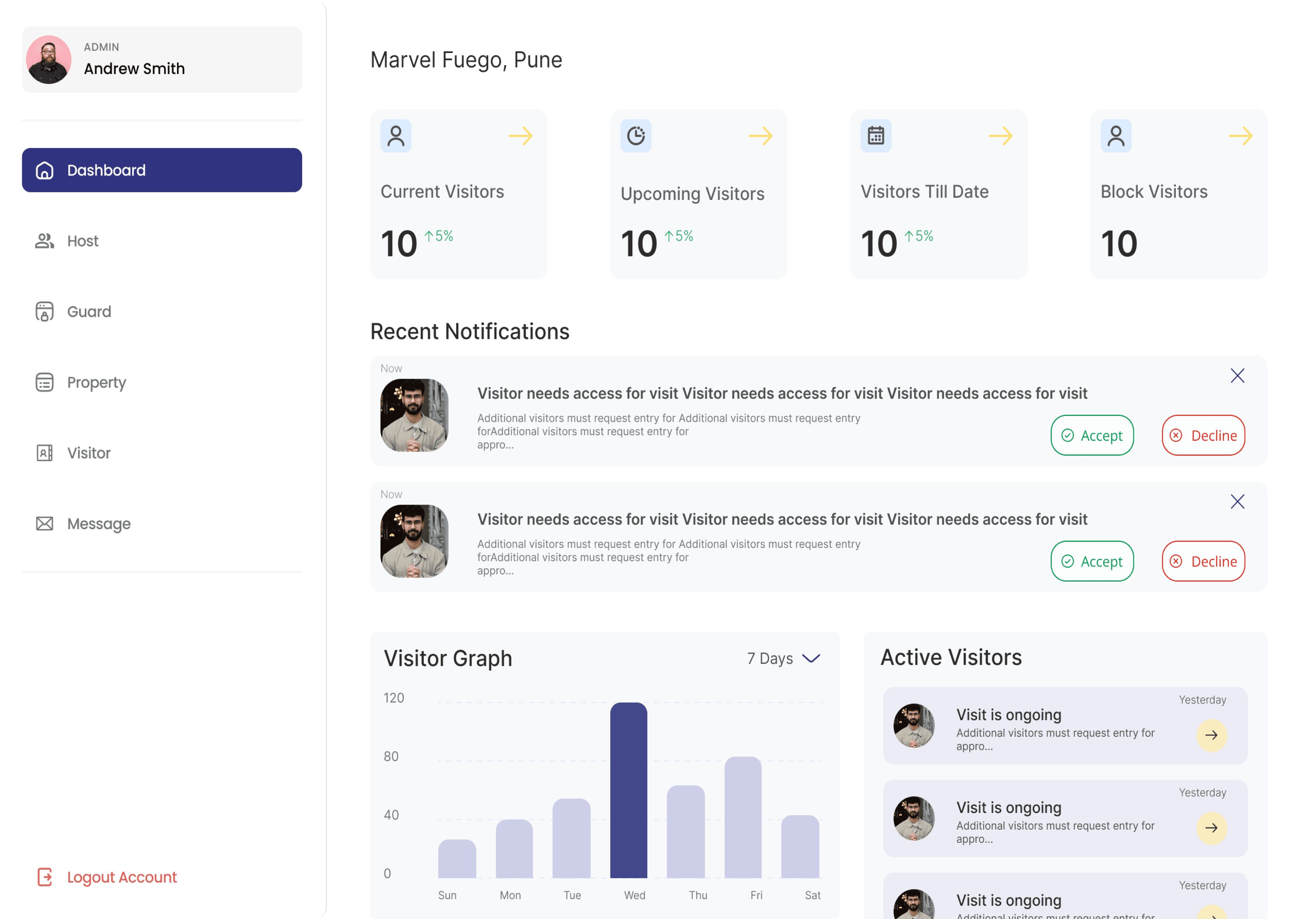
Desktop Home
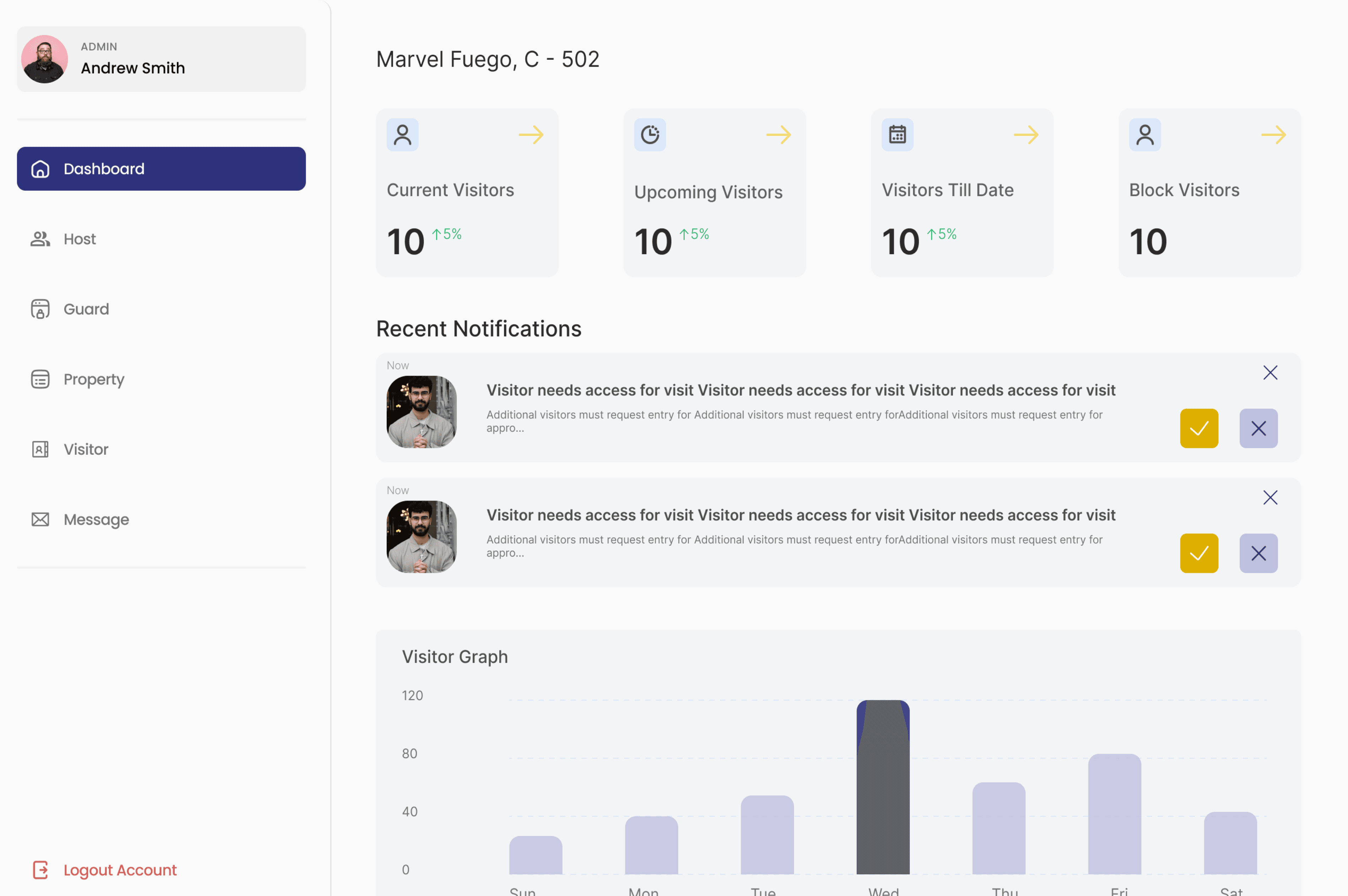
Current Visitors: A section showing visitors currently checked in, with names, check-in times, and meeting details.
Upcoming Visitors: A preview of scheduled visitors, including names, arrival times, and meeting agendas.
Visitor Statistics: A graphical representation of total visitors to date, broken down by day, week, or month for easy analysis.
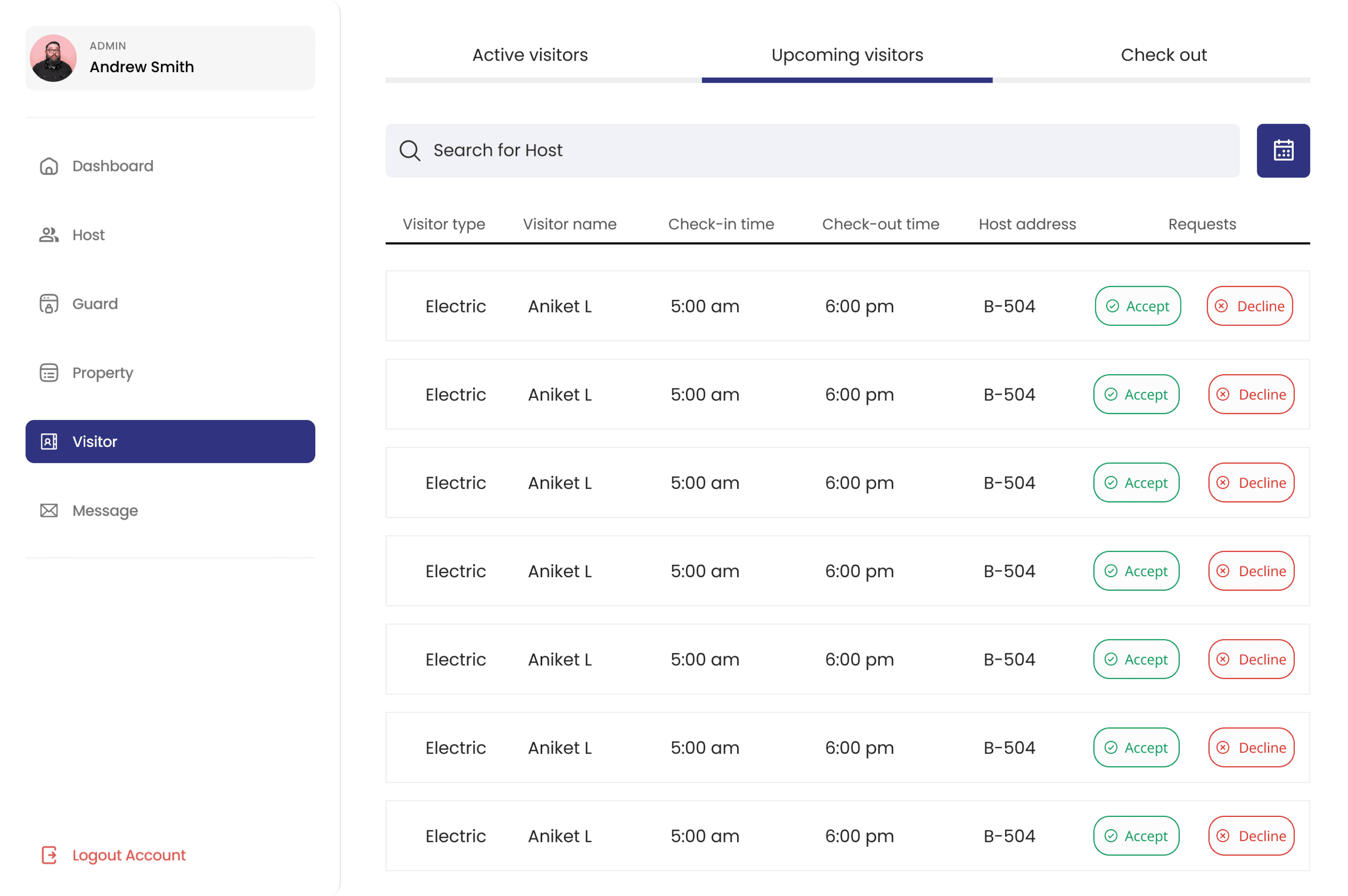
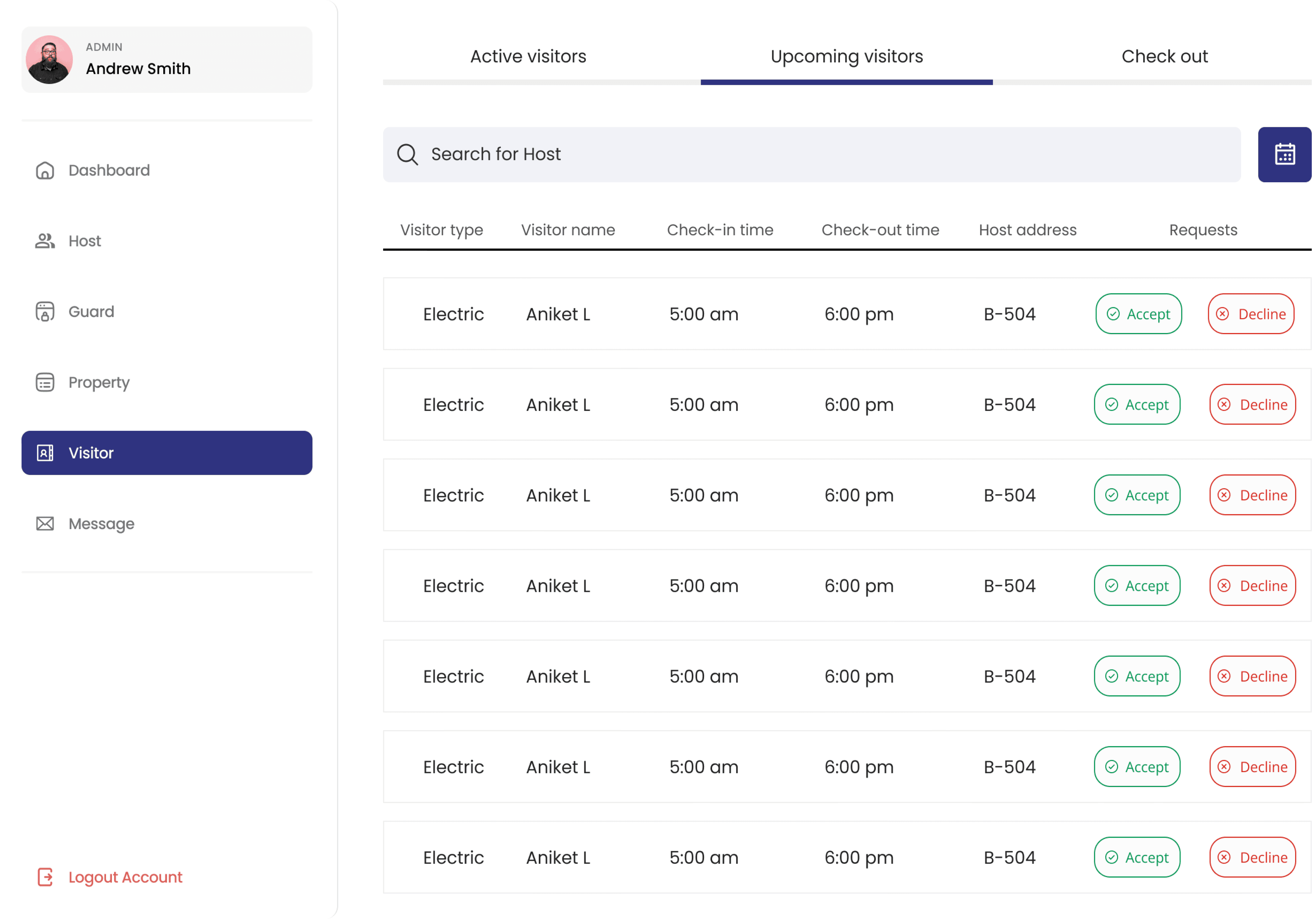
Visitor Log
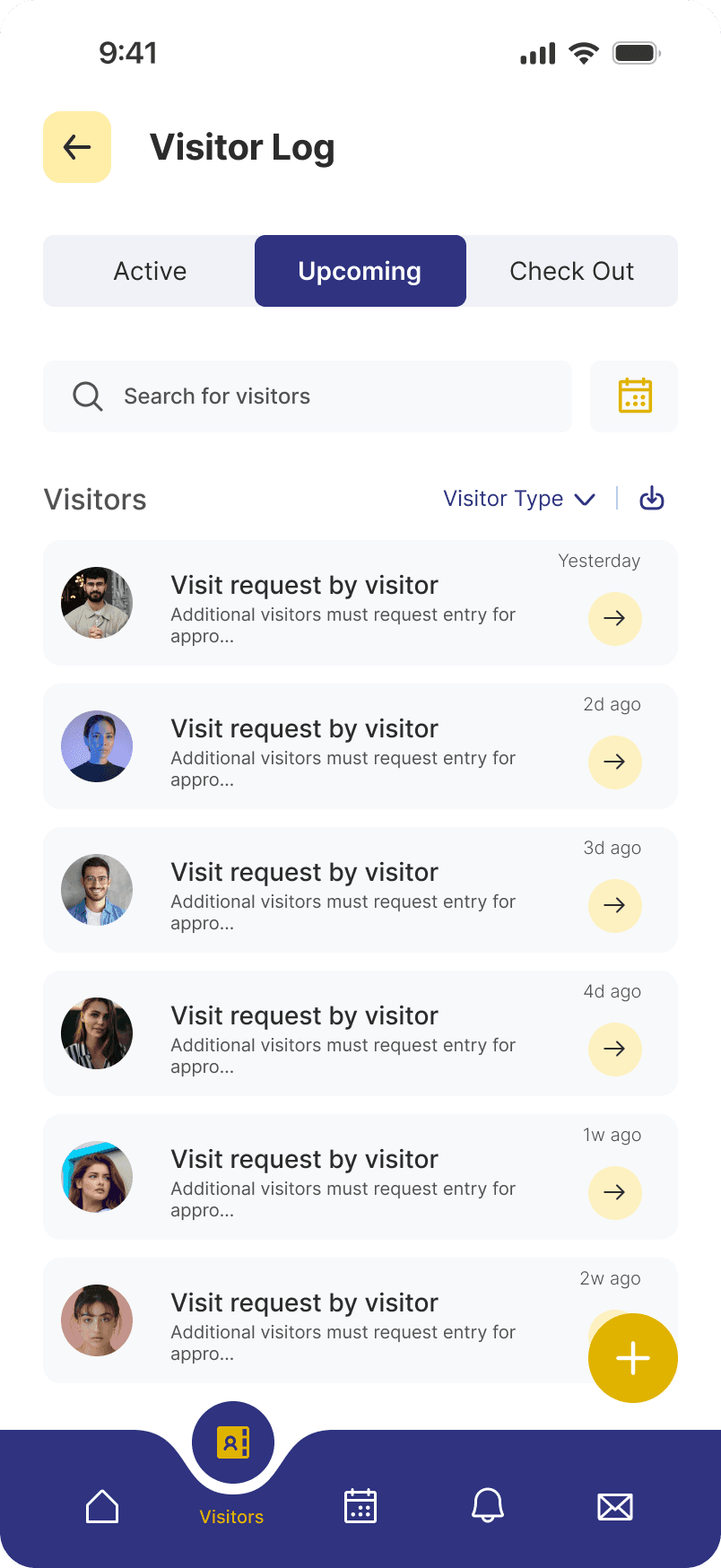
Current Visitors: A section showing visitors currently checked in, with names, check-in times, and meeting details.
Upcoming Visitors: A preview of scheduled visitors, including names, arrival times.
Mobile Design
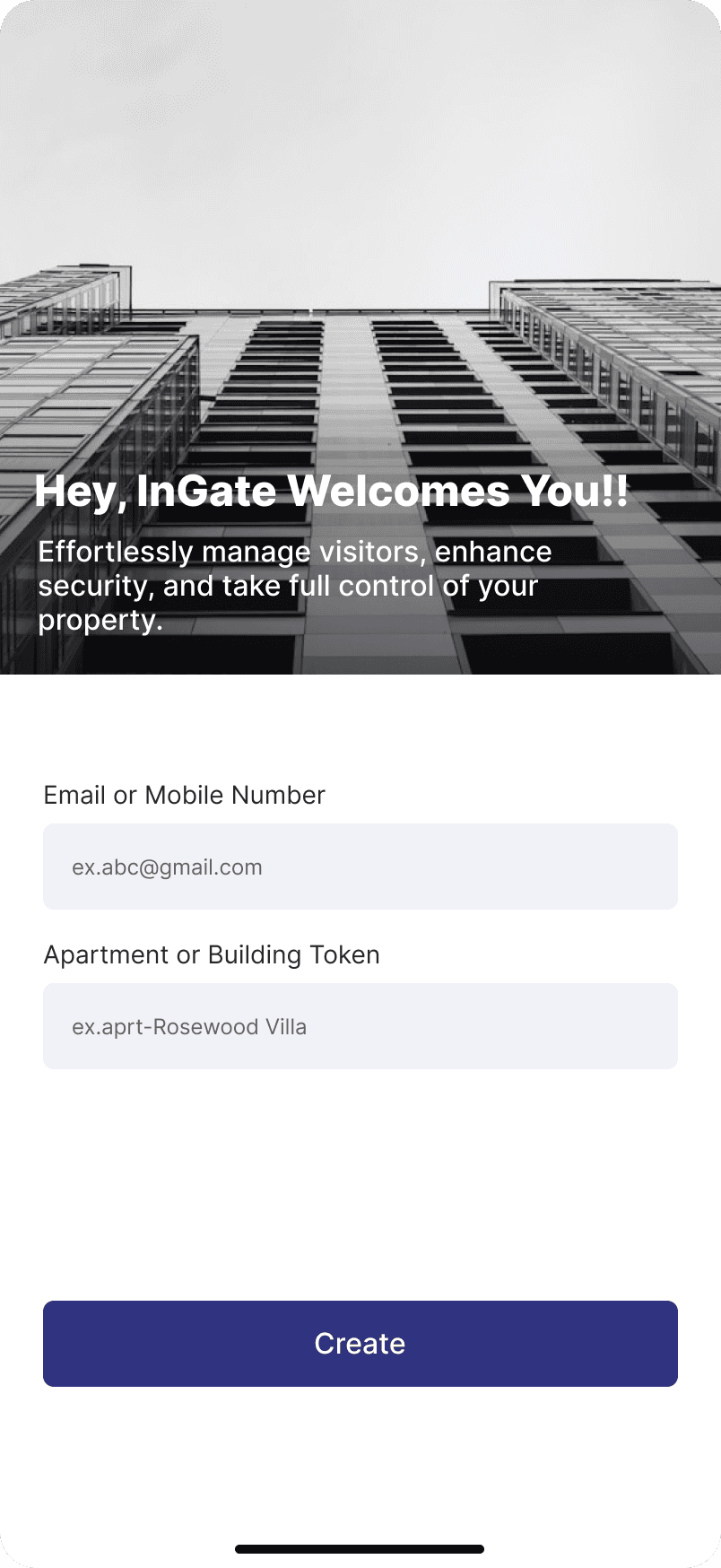
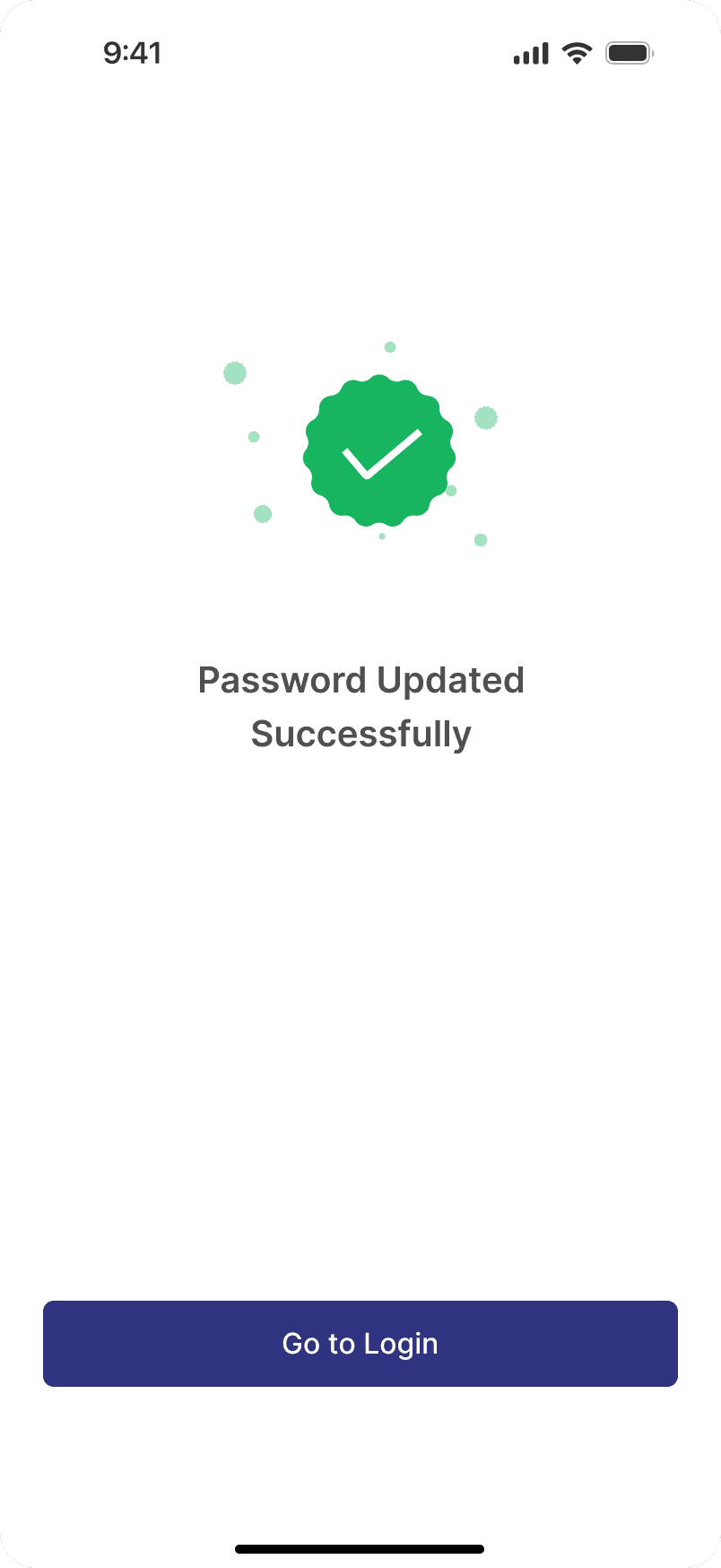
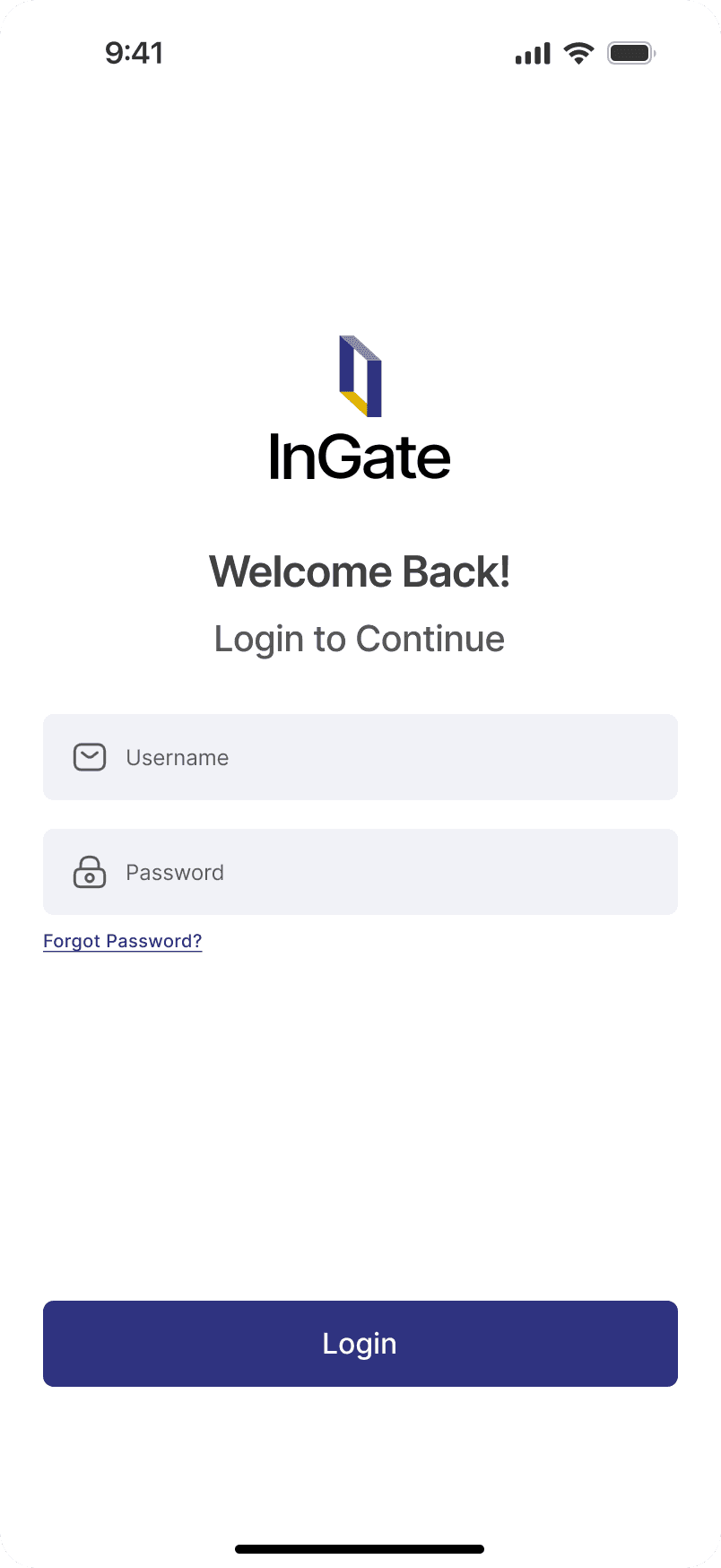
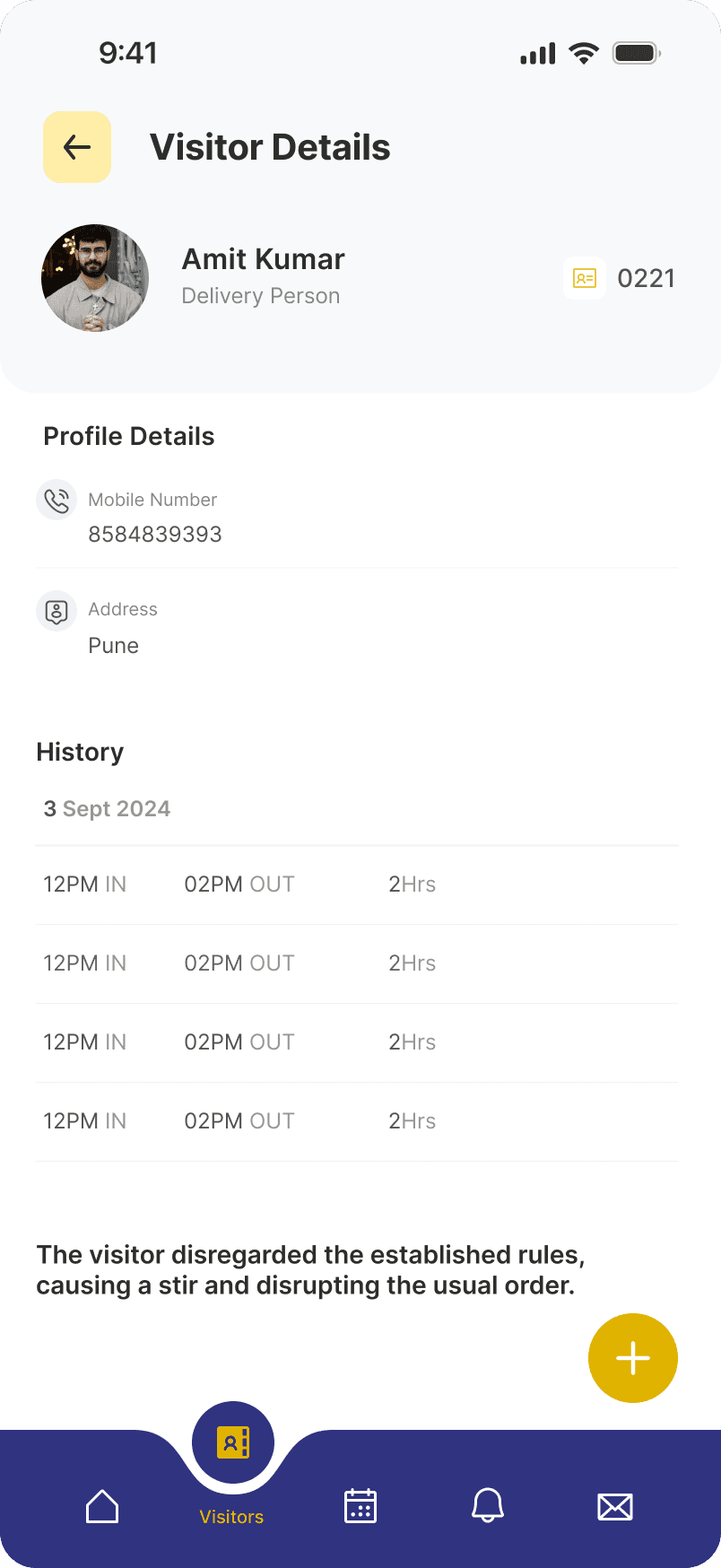
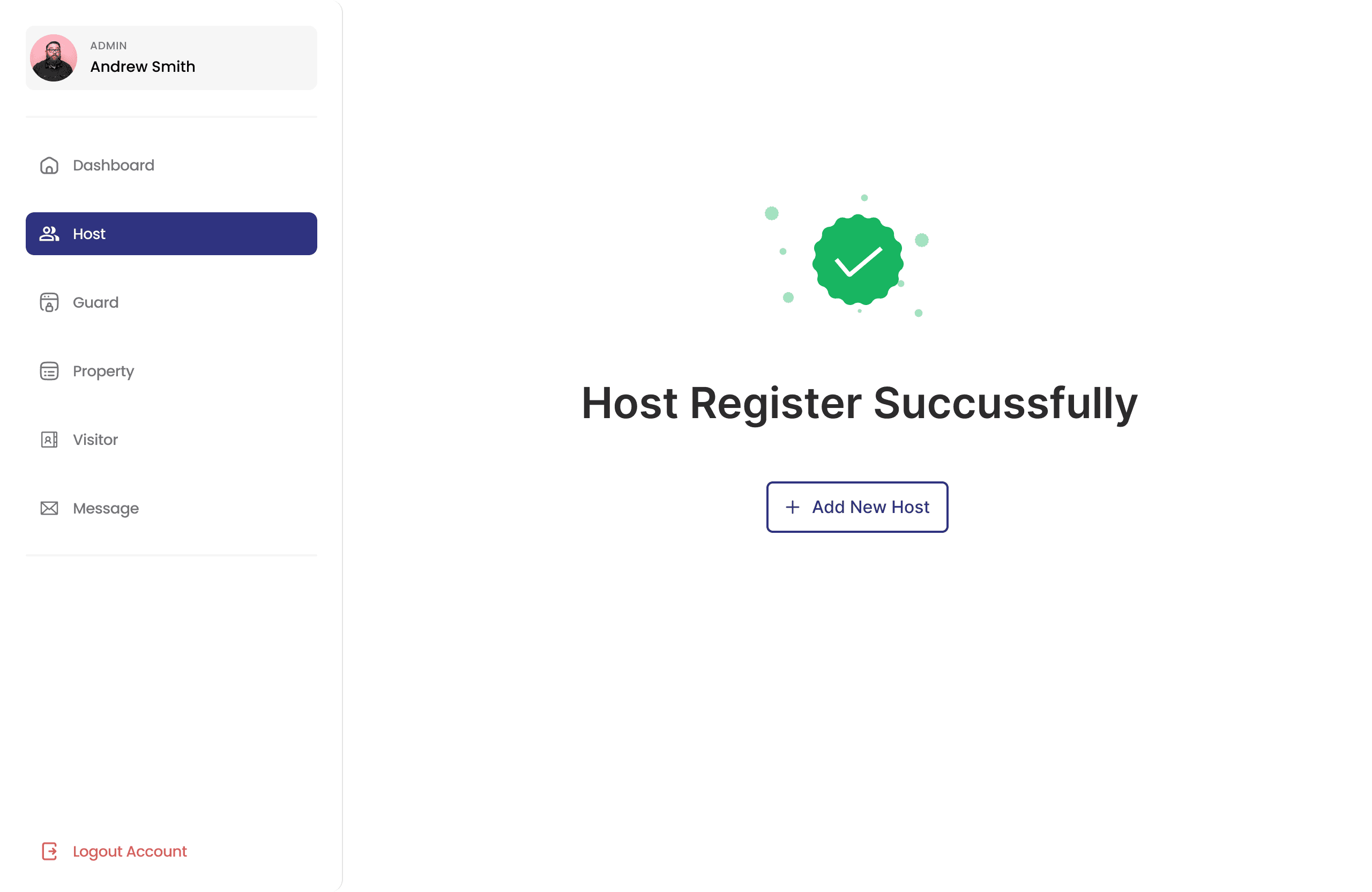
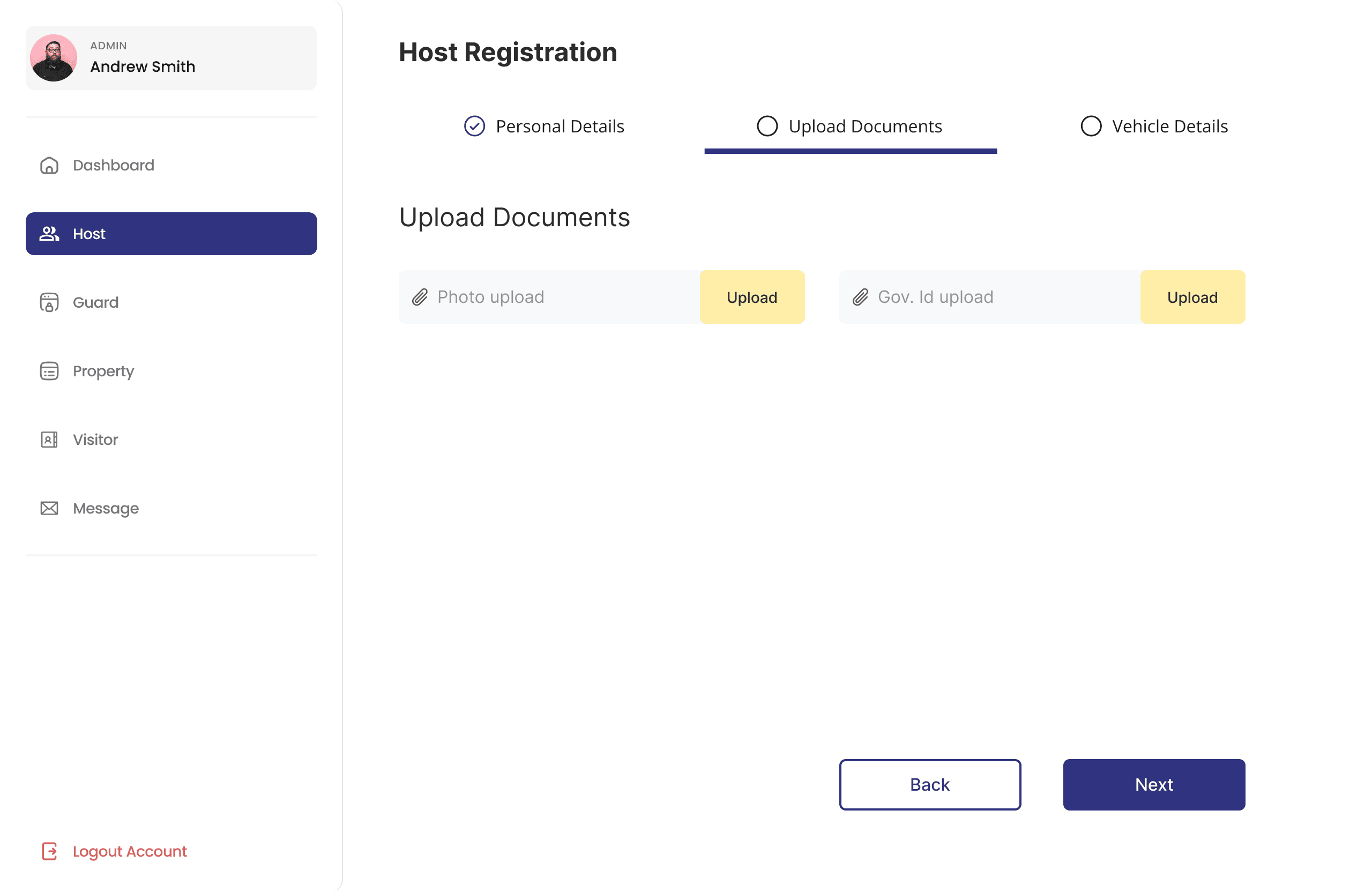
Desktop Design
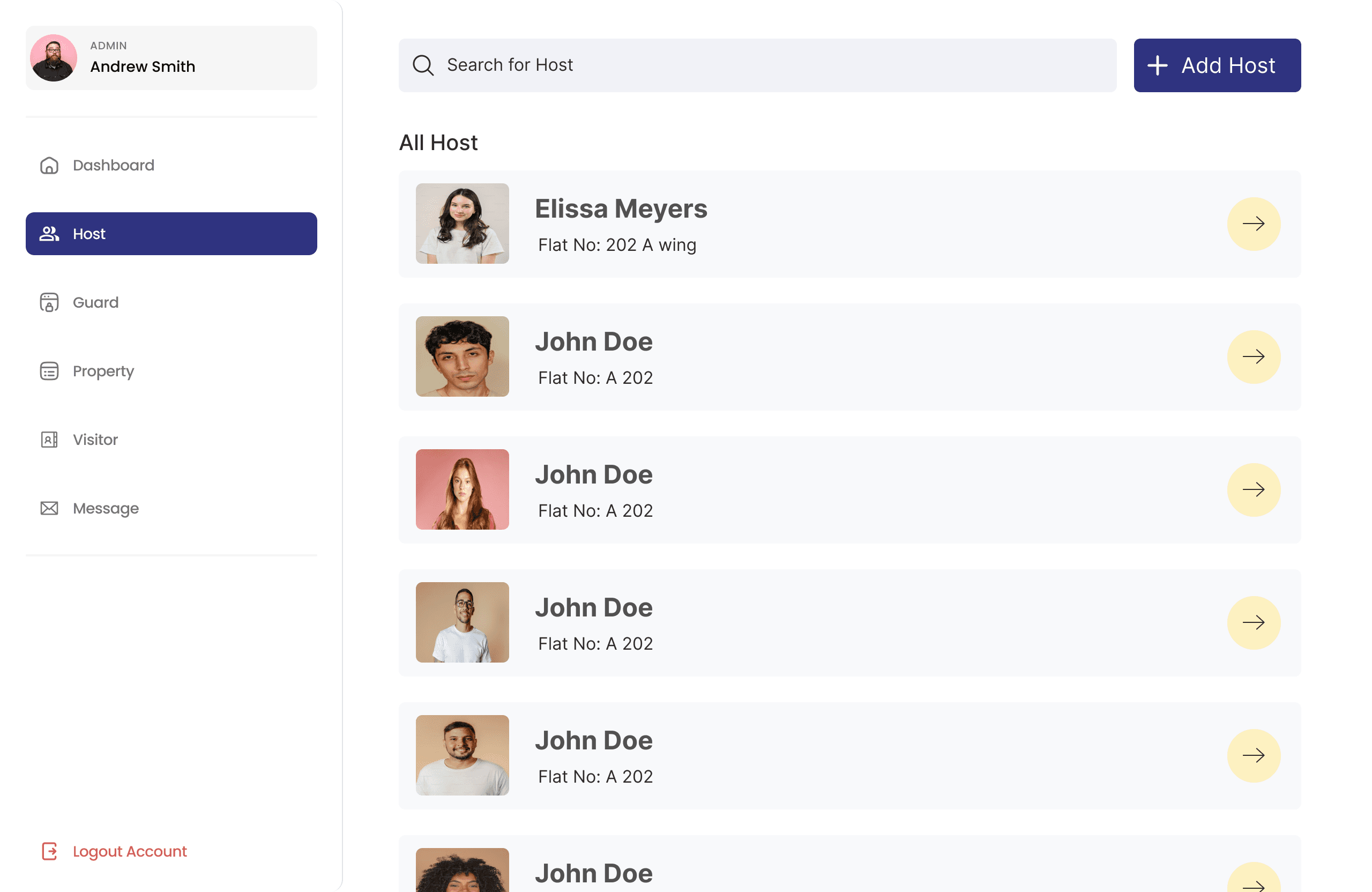
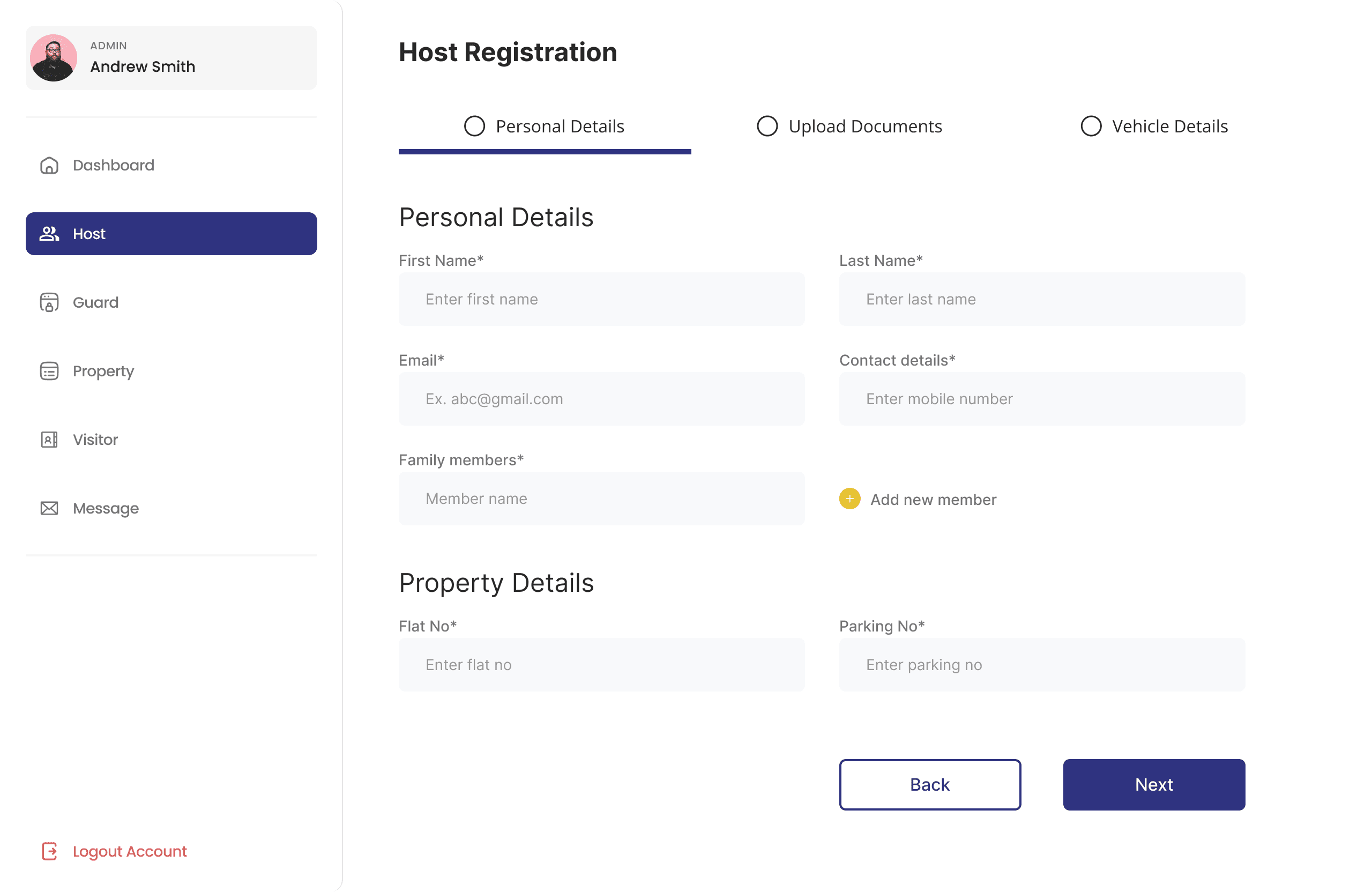
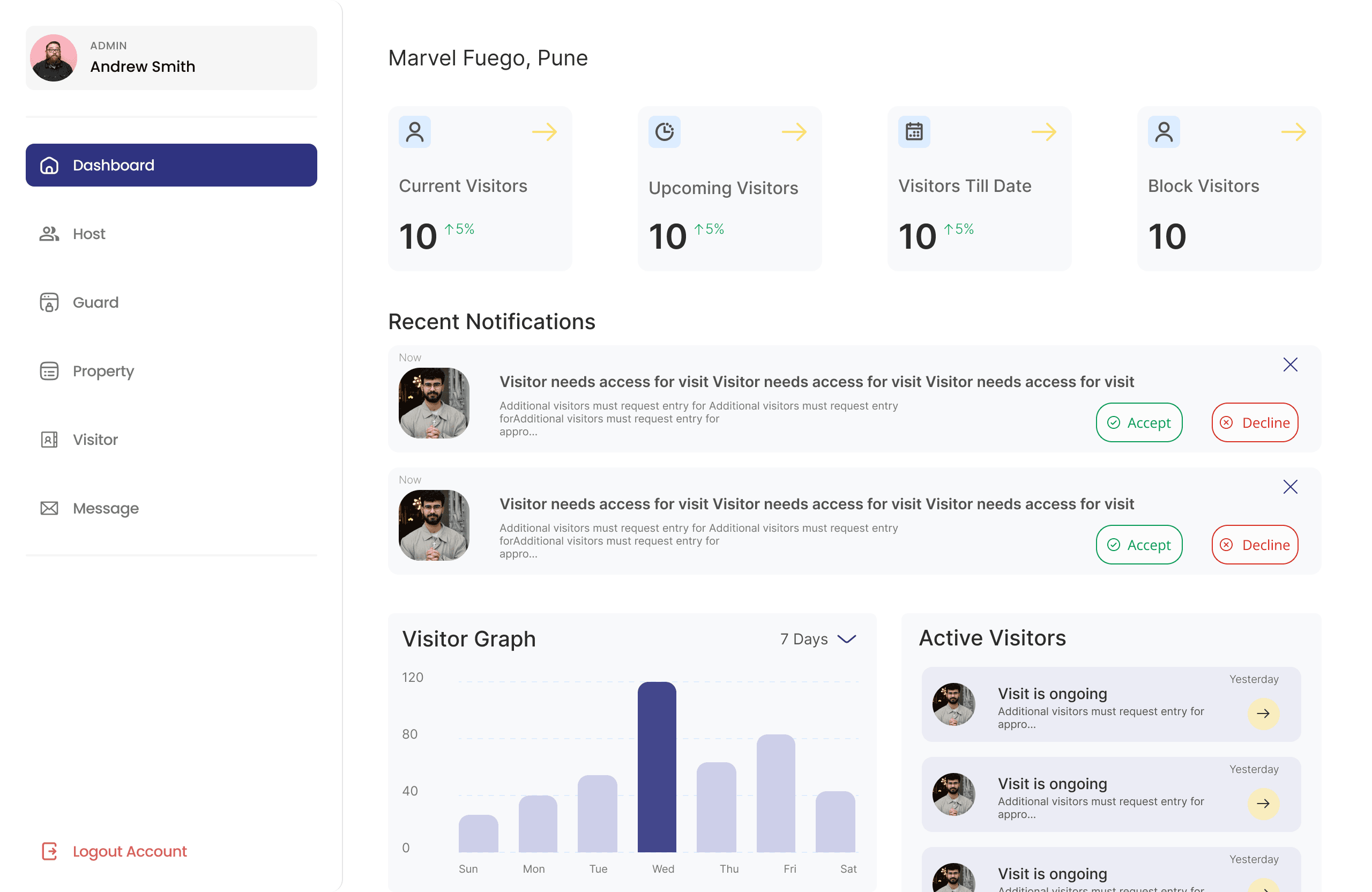
Macbook Pro
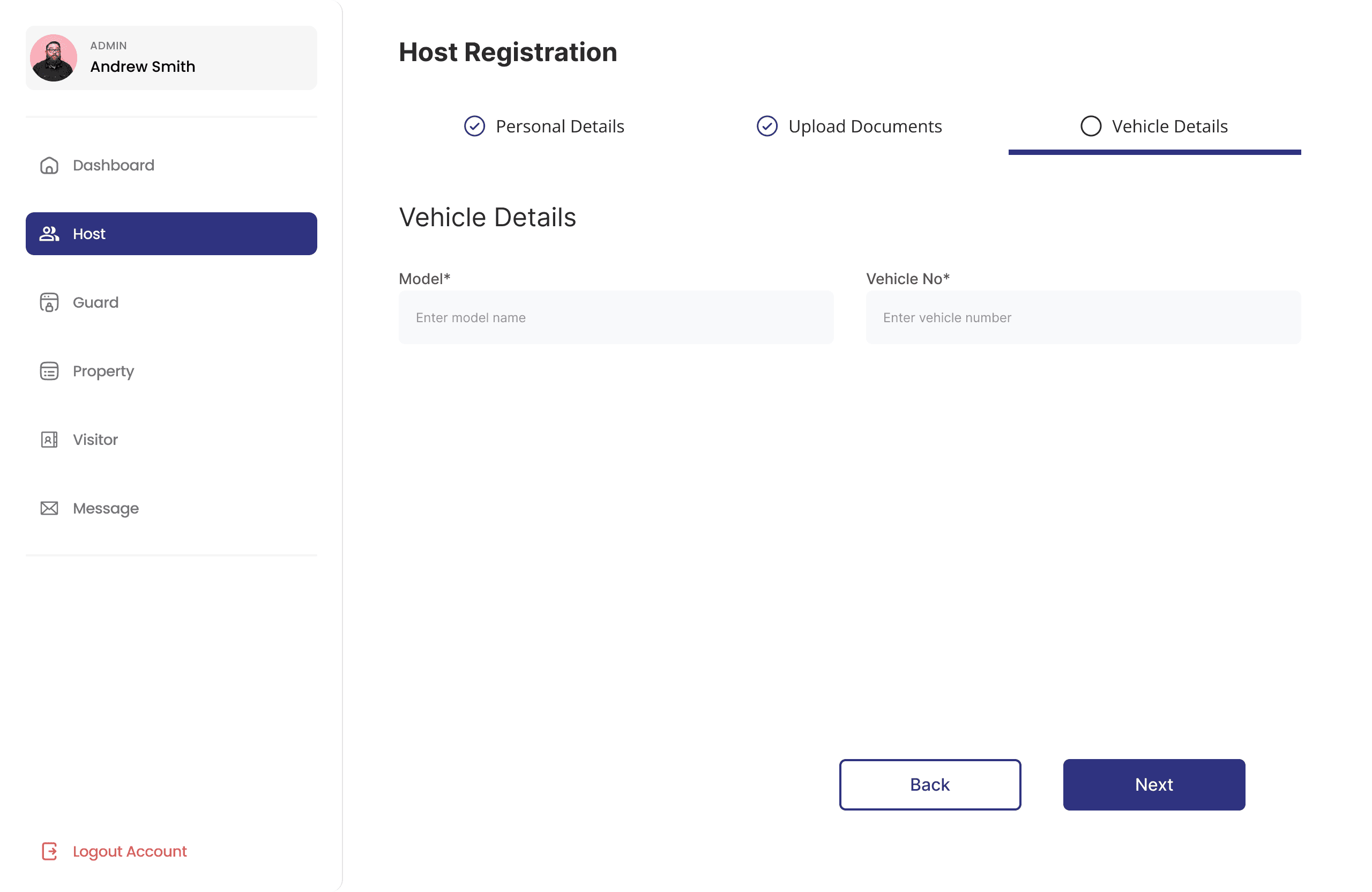
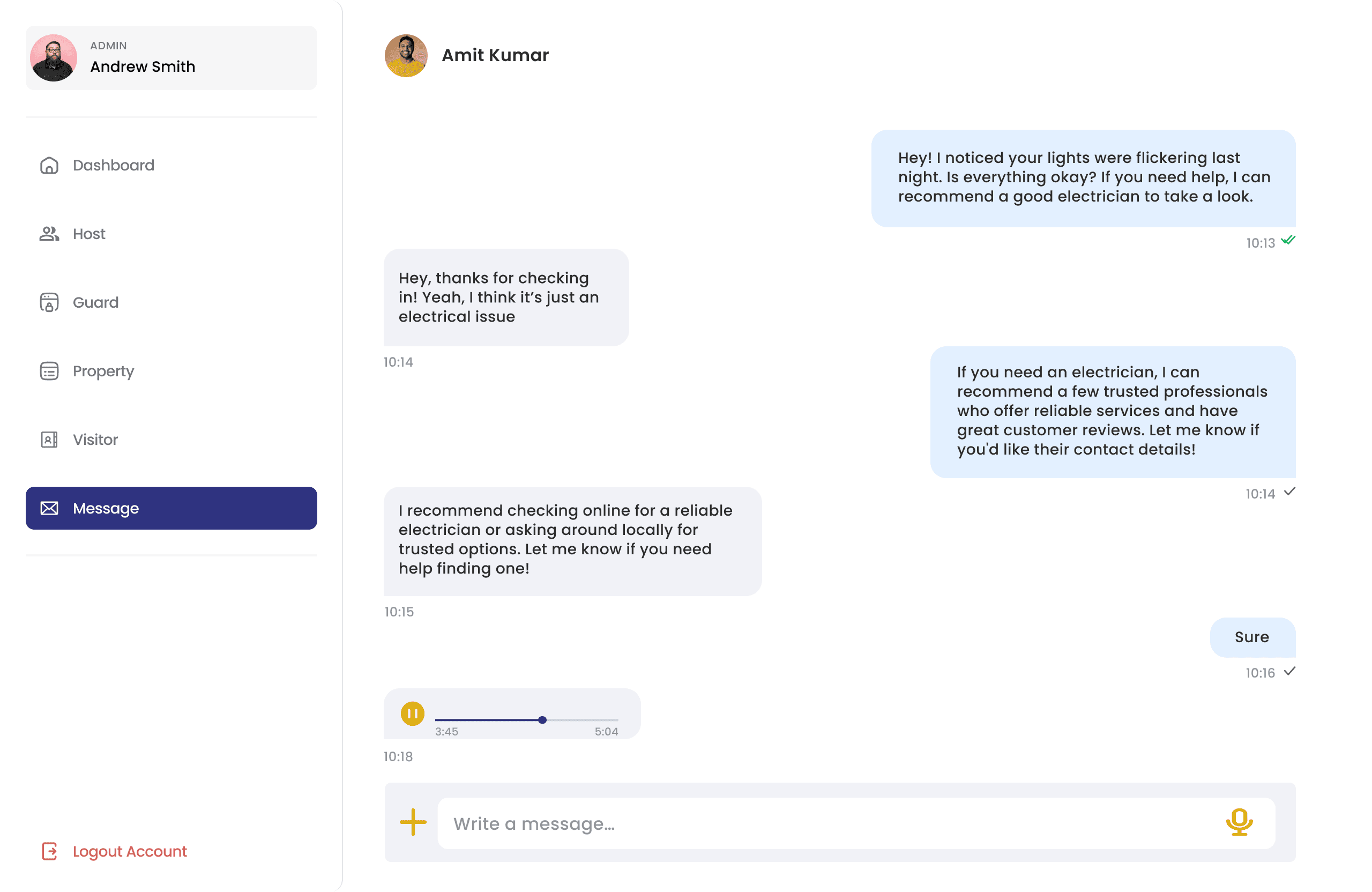
Tab Design

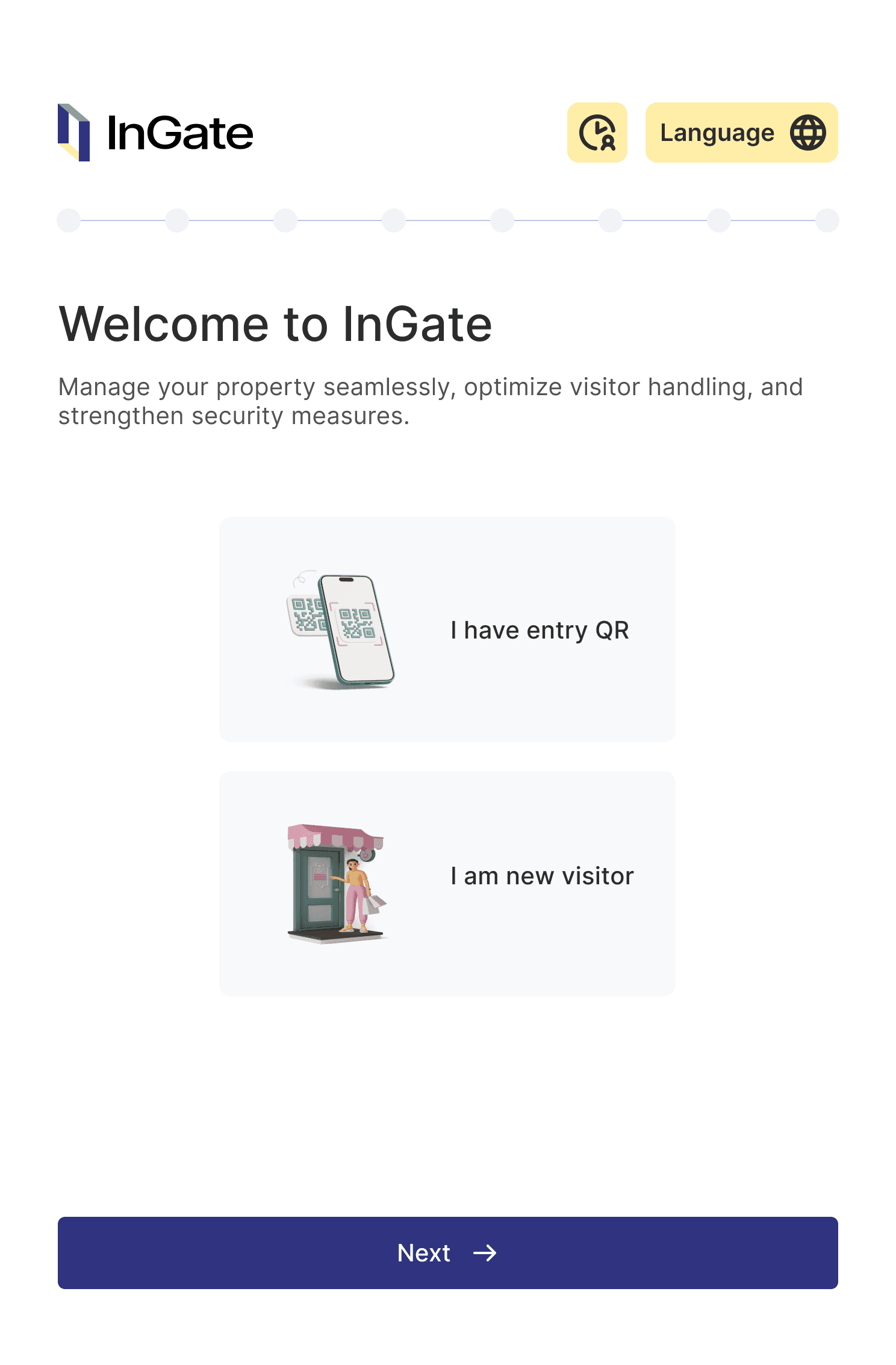
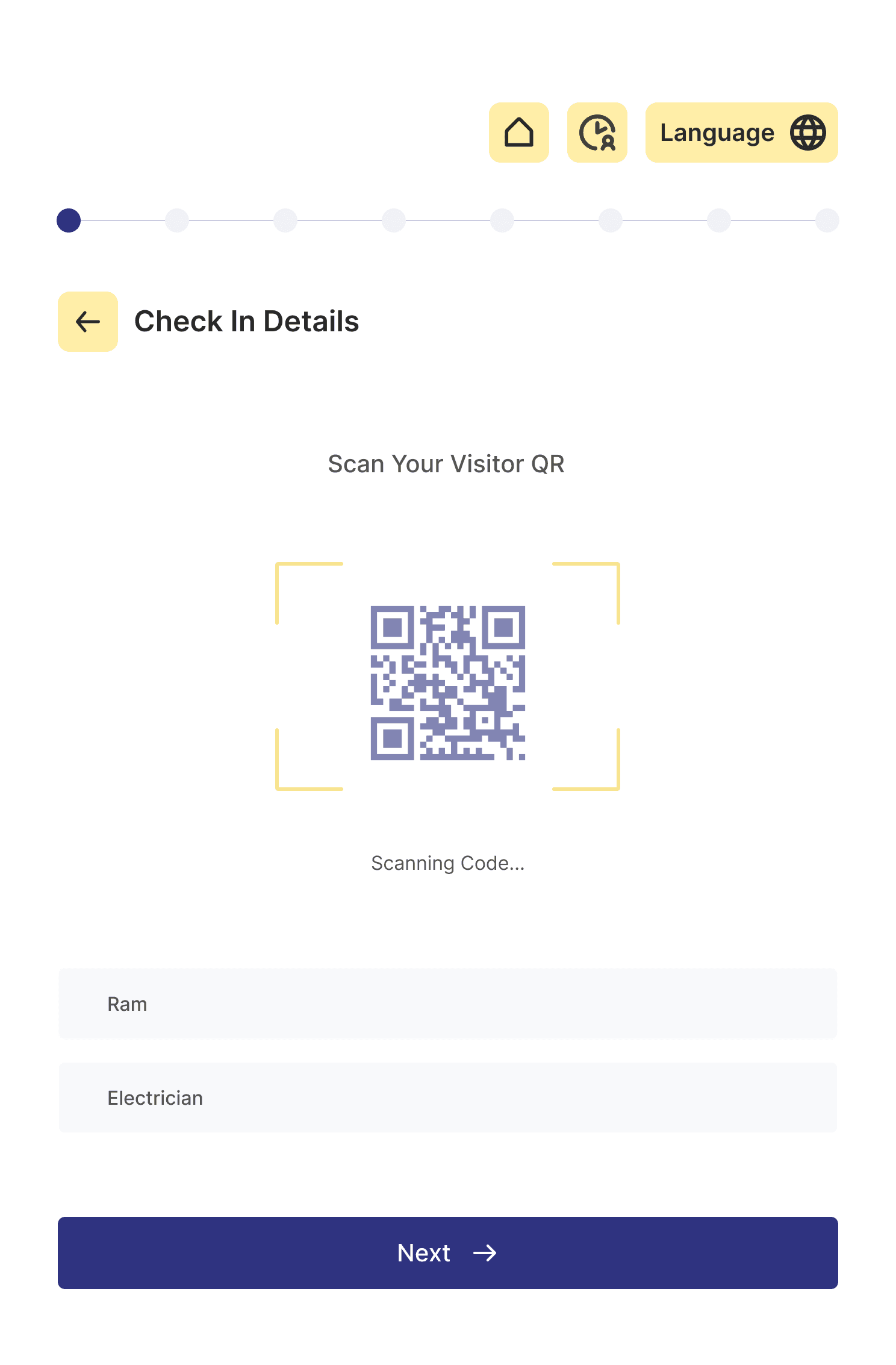
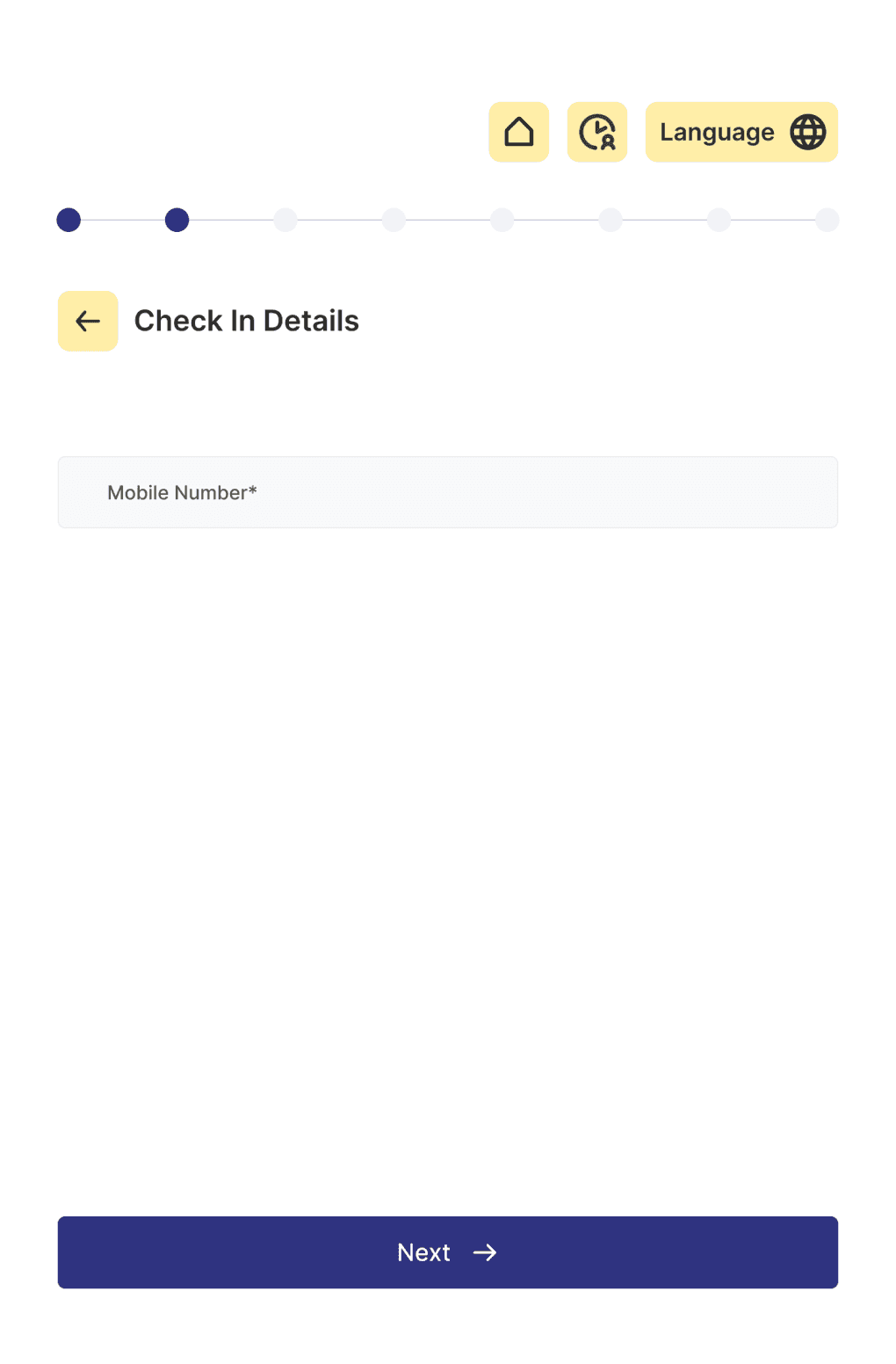
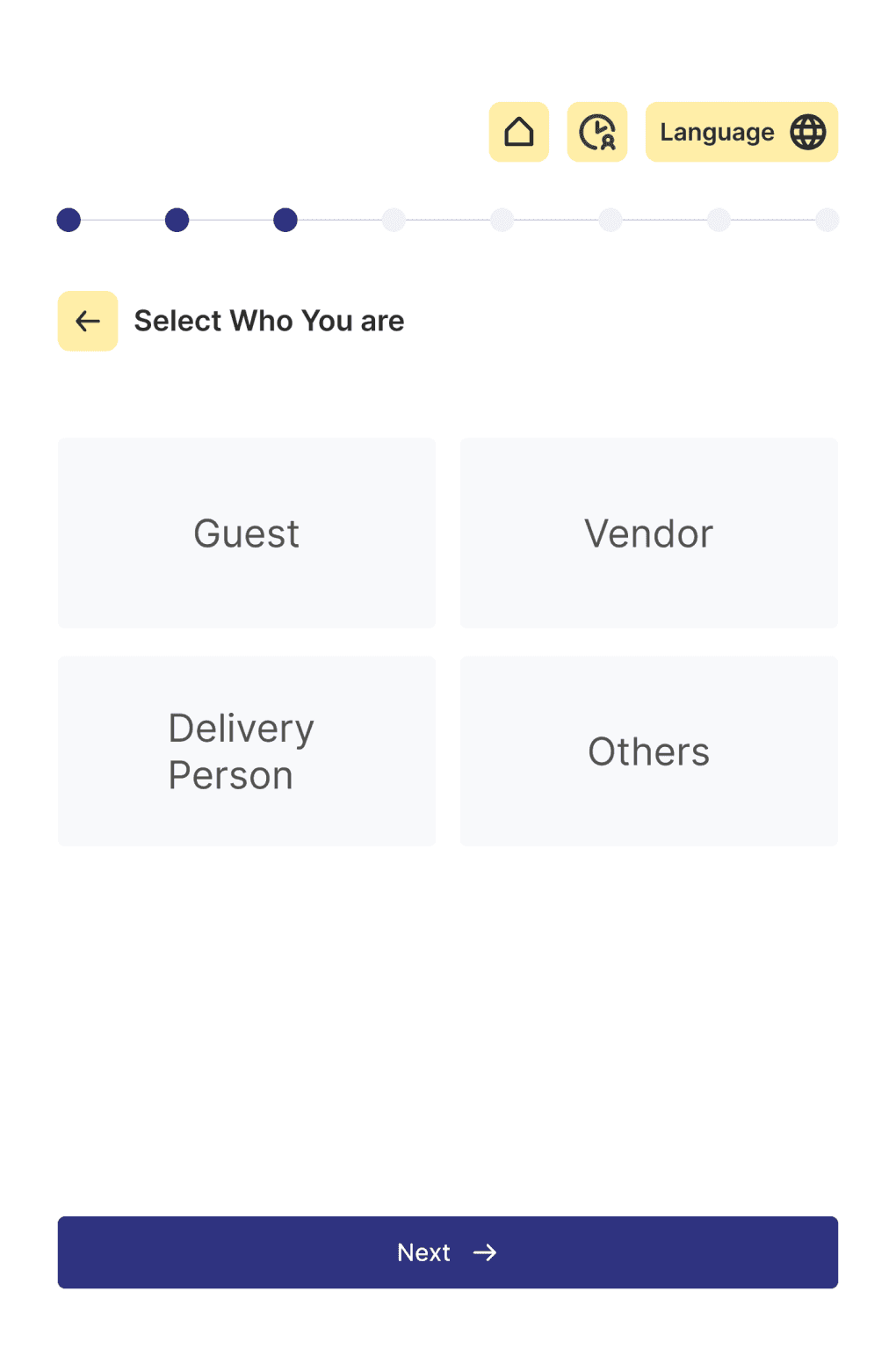
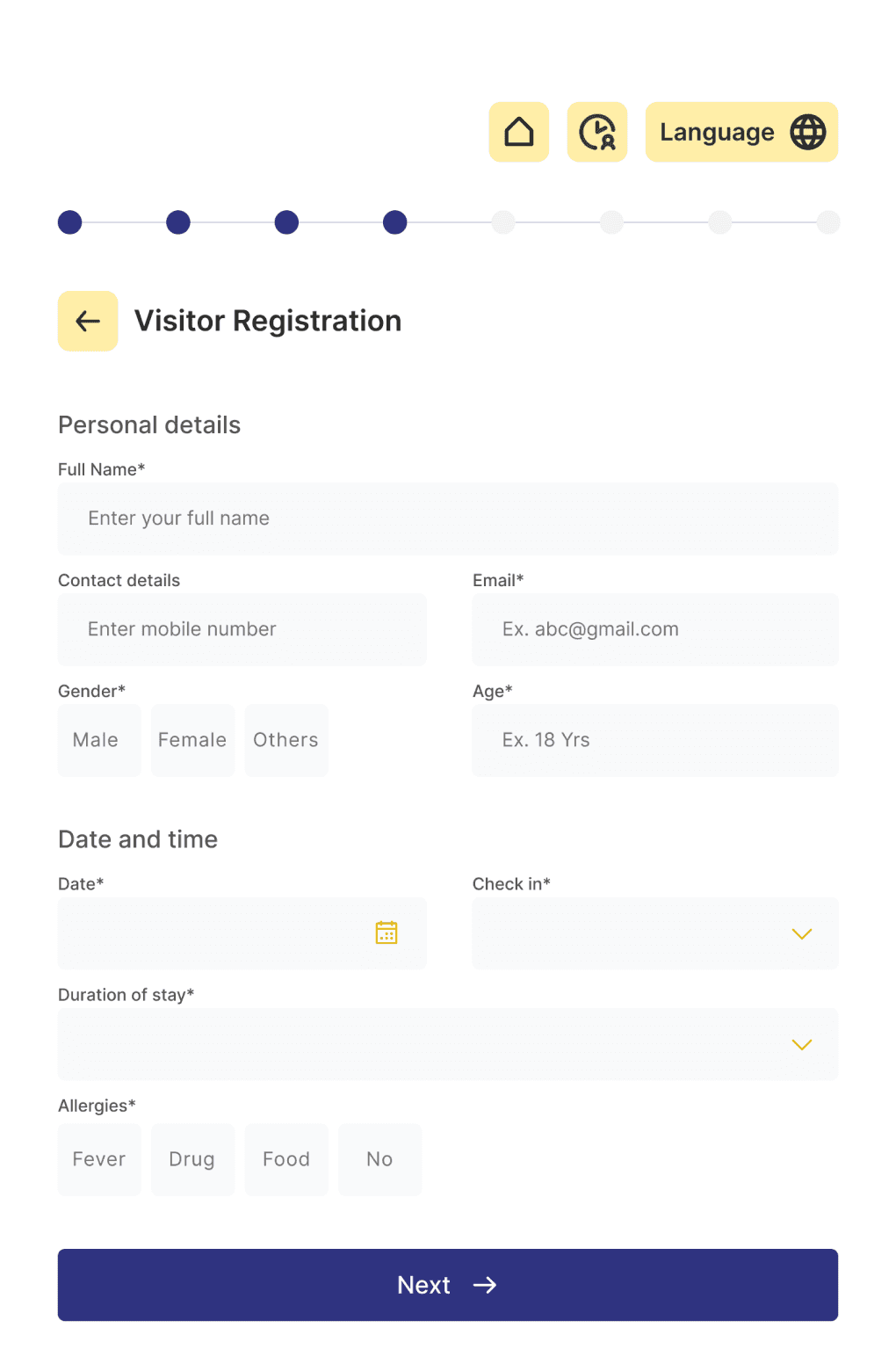
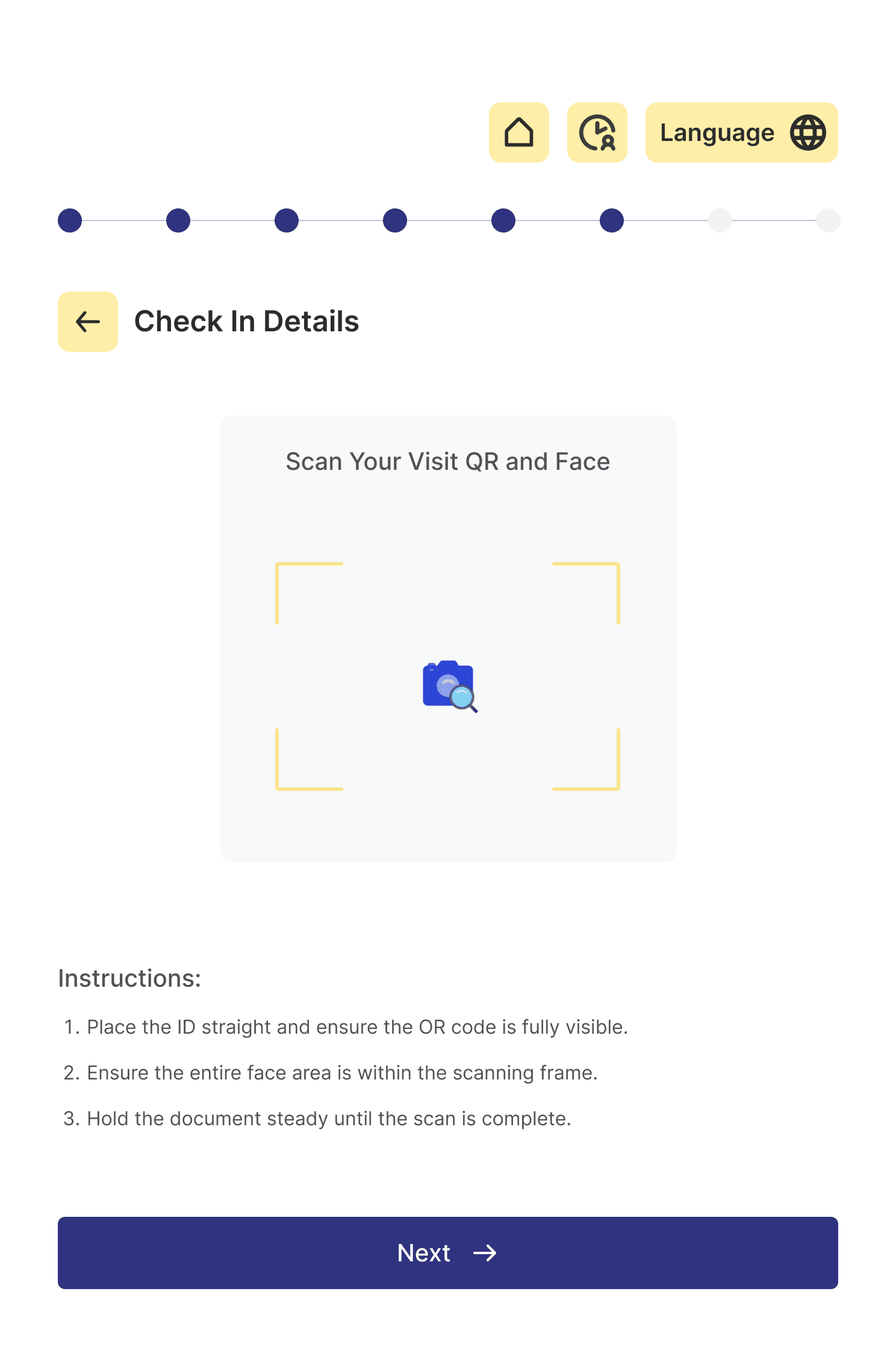
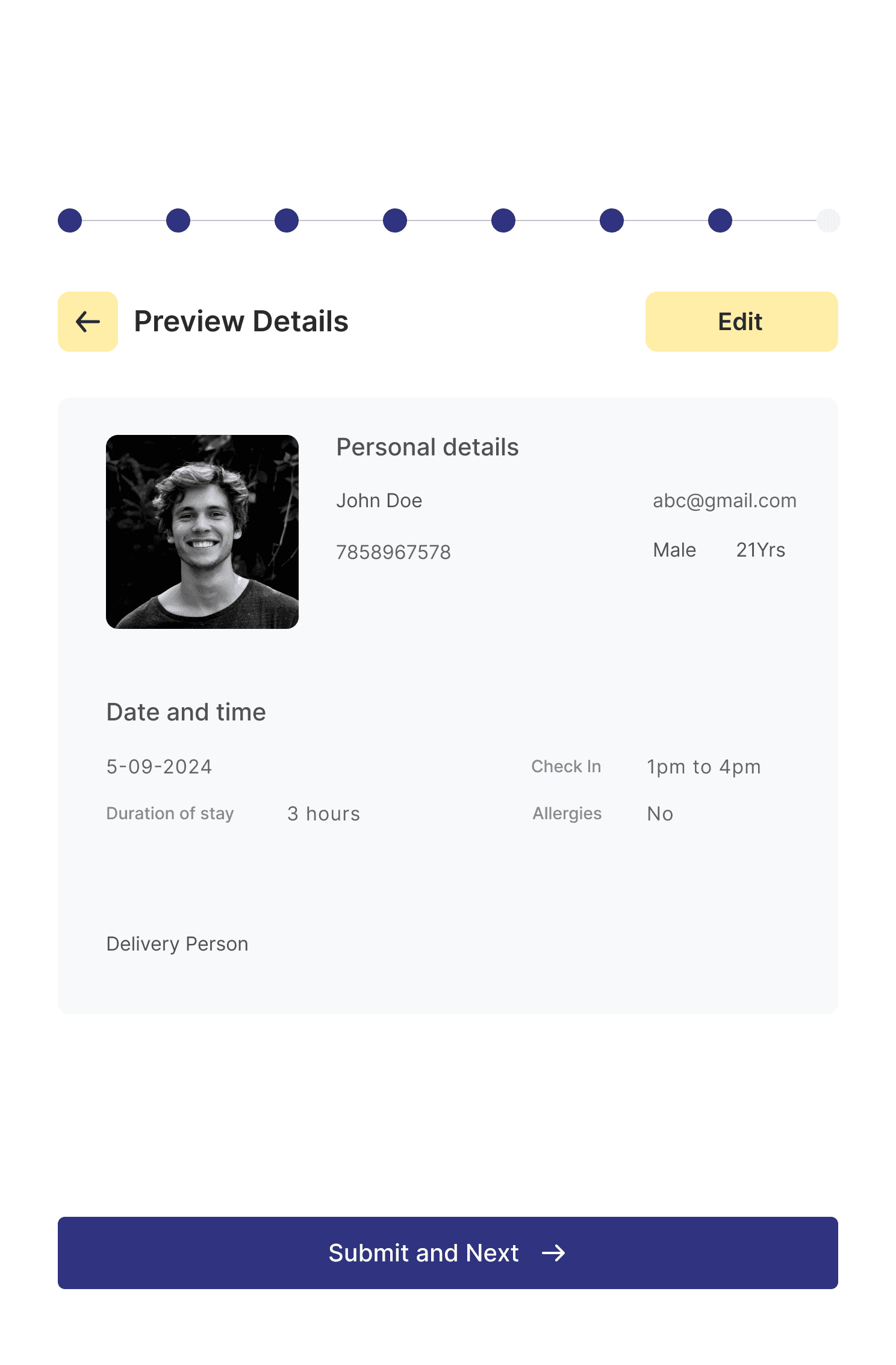
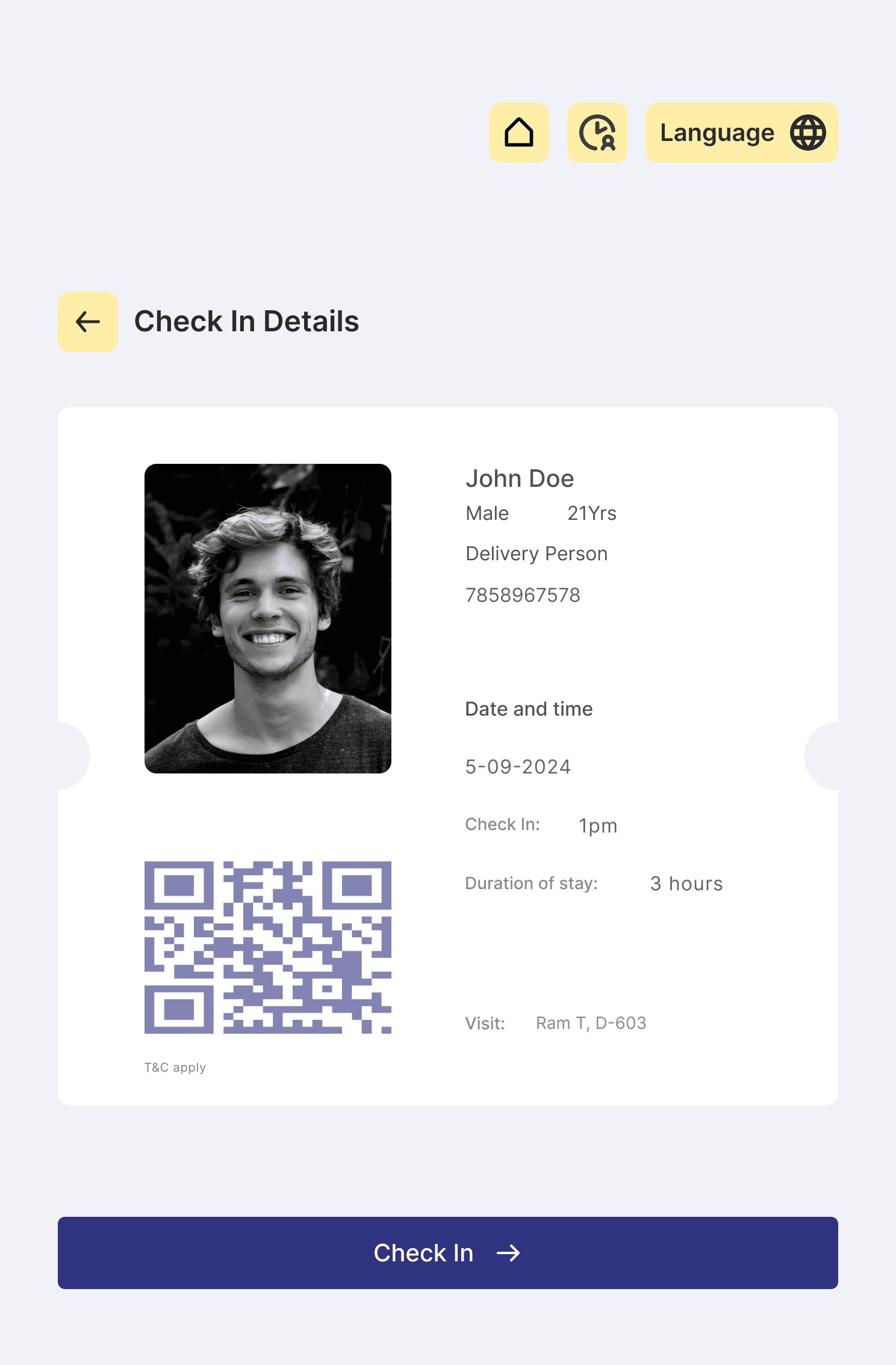
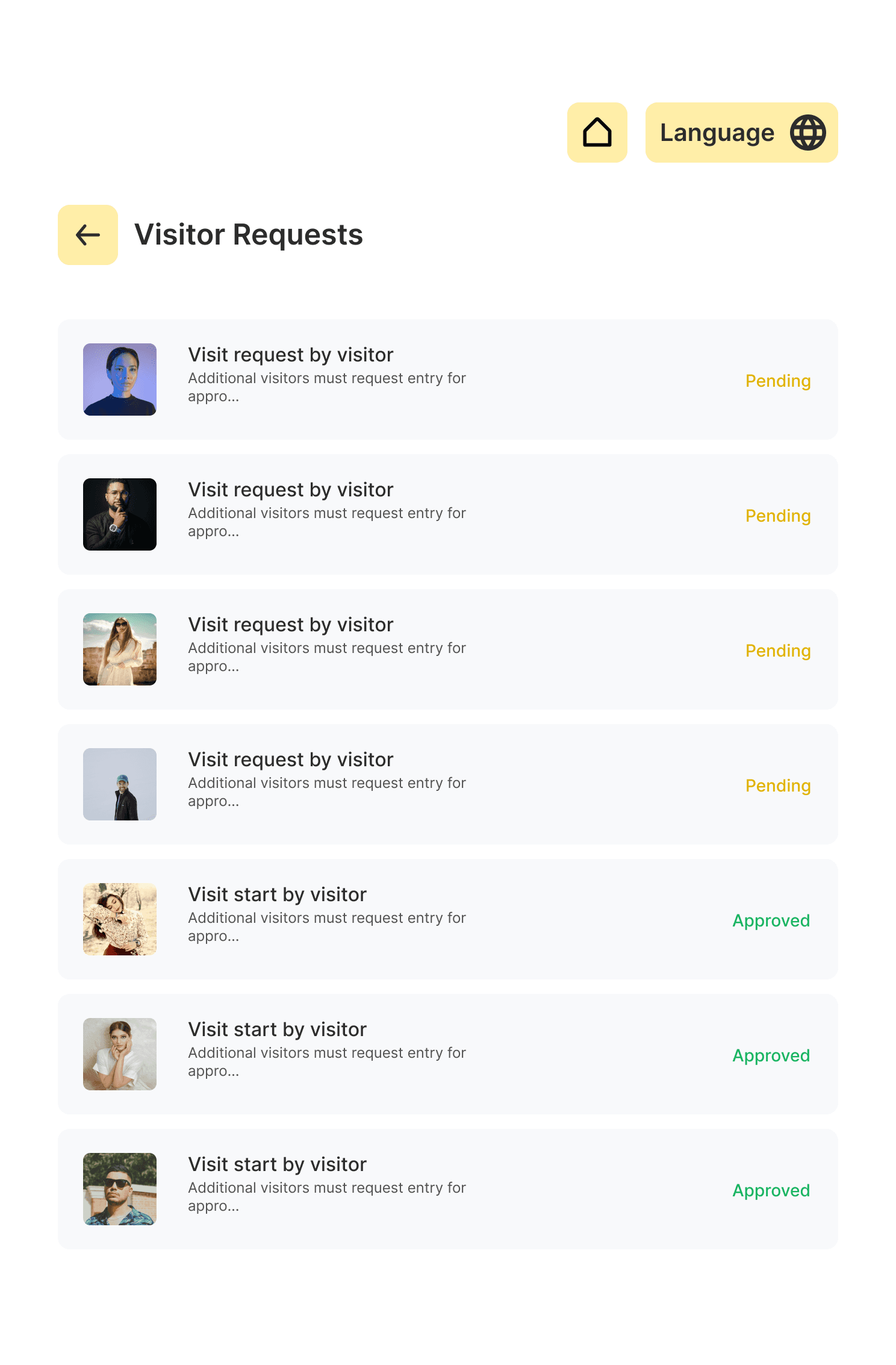

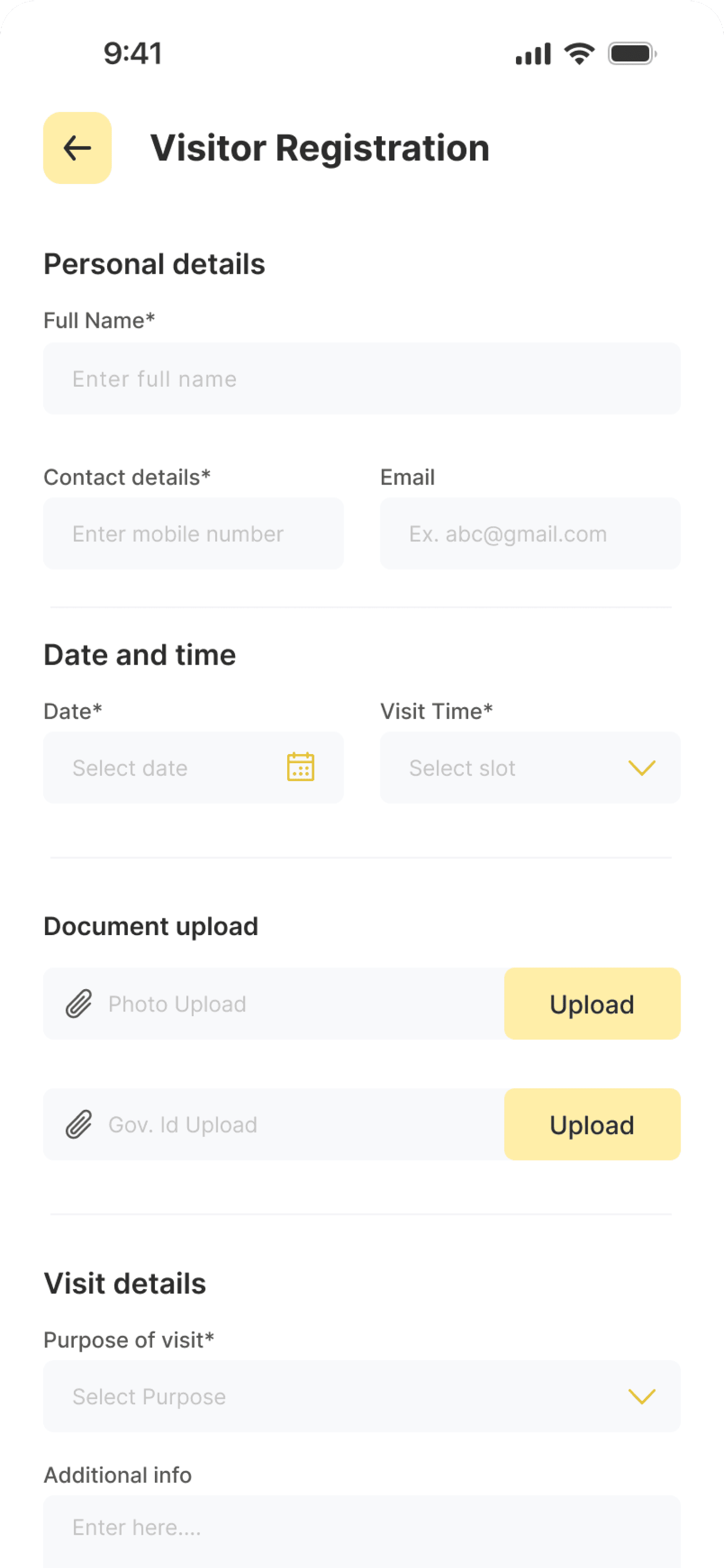
Visitor Registration
Visitor Form: Fields for name, contact, ID, and visit purpose.
Host Selection: Dropdown or search for host.
Pre-Check: Upload ID proof/certificate and confirm.
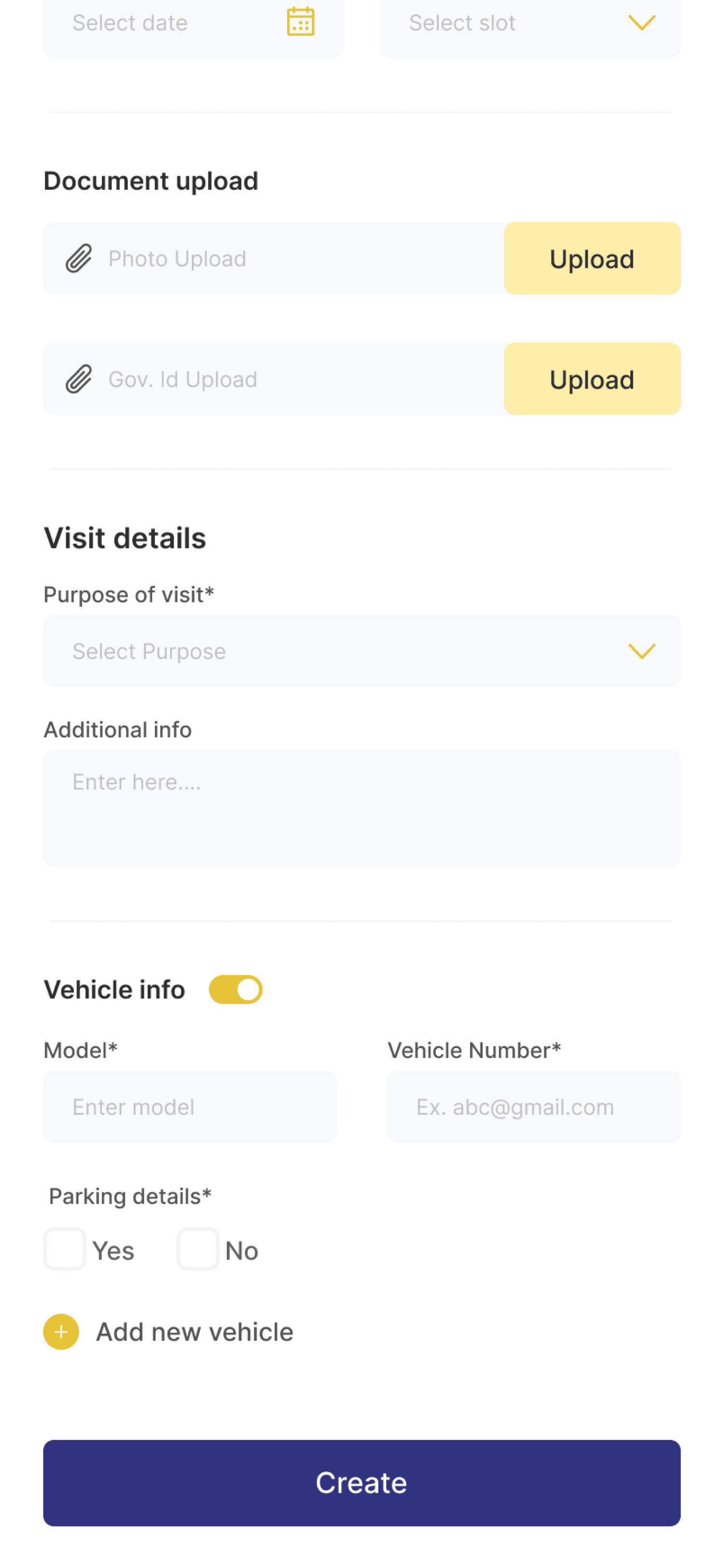
Impact
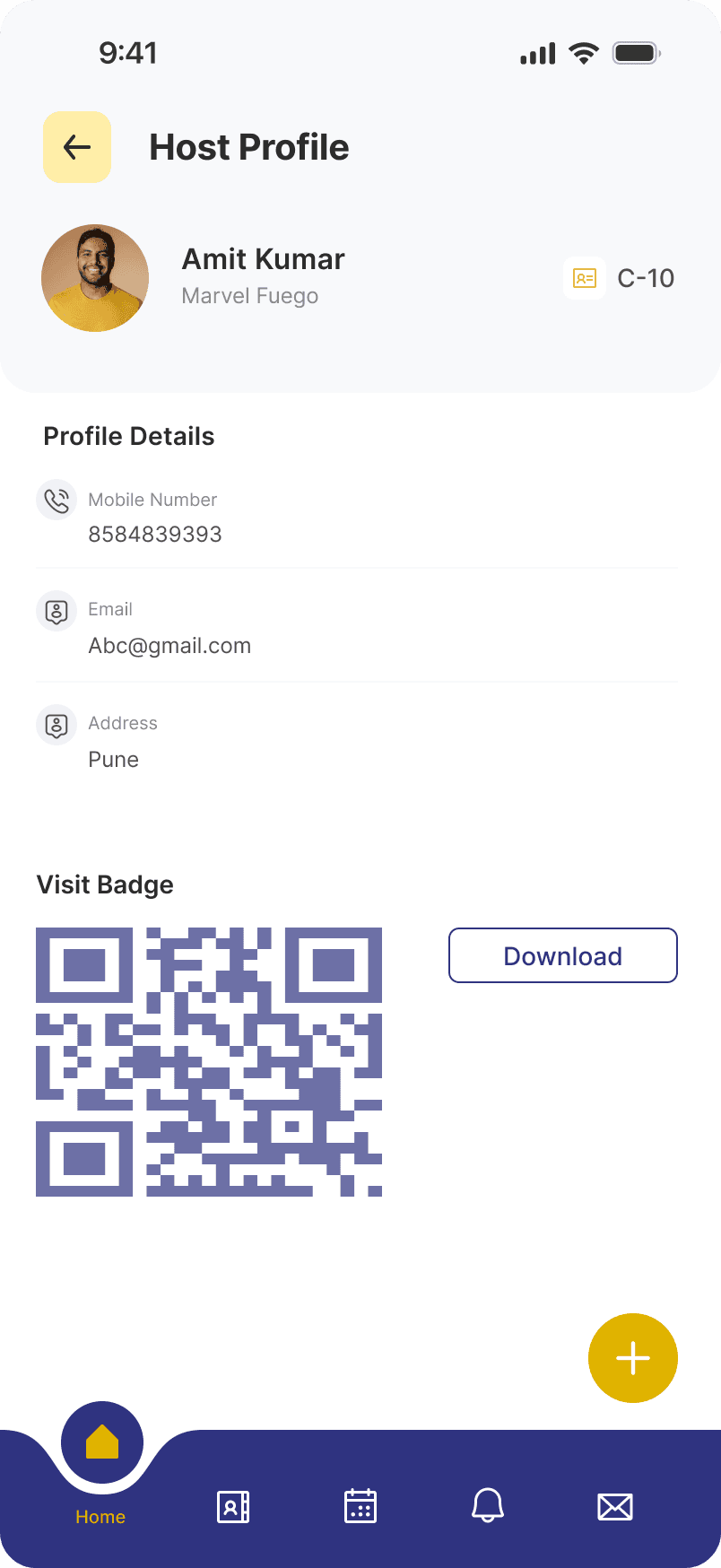
Faster QR-based visitor check-in
Smoother host approval flow
Real-time visitor tracking & logs
Reduced errors with digital badges
Learnings
Speed is critical at entry points
Clear status = better user confidence
Pre-registration improves efficiency
Balance security with simplicity